Best Bedside Sound Machines for Dark Rooms (2026)
Affiliate disclosure: As an Amazon Associate I earn from qualifying purchases. MedHelperPro may earn a commission from eligible purchases made through links in this guide, at no extra cost to you. Affiliate availability does not affect our selections. Read the full disclosure.
Research note: Product selections are based on published specifications, policies, and independent evidence unless a guide explicitly describes hands-on testing.
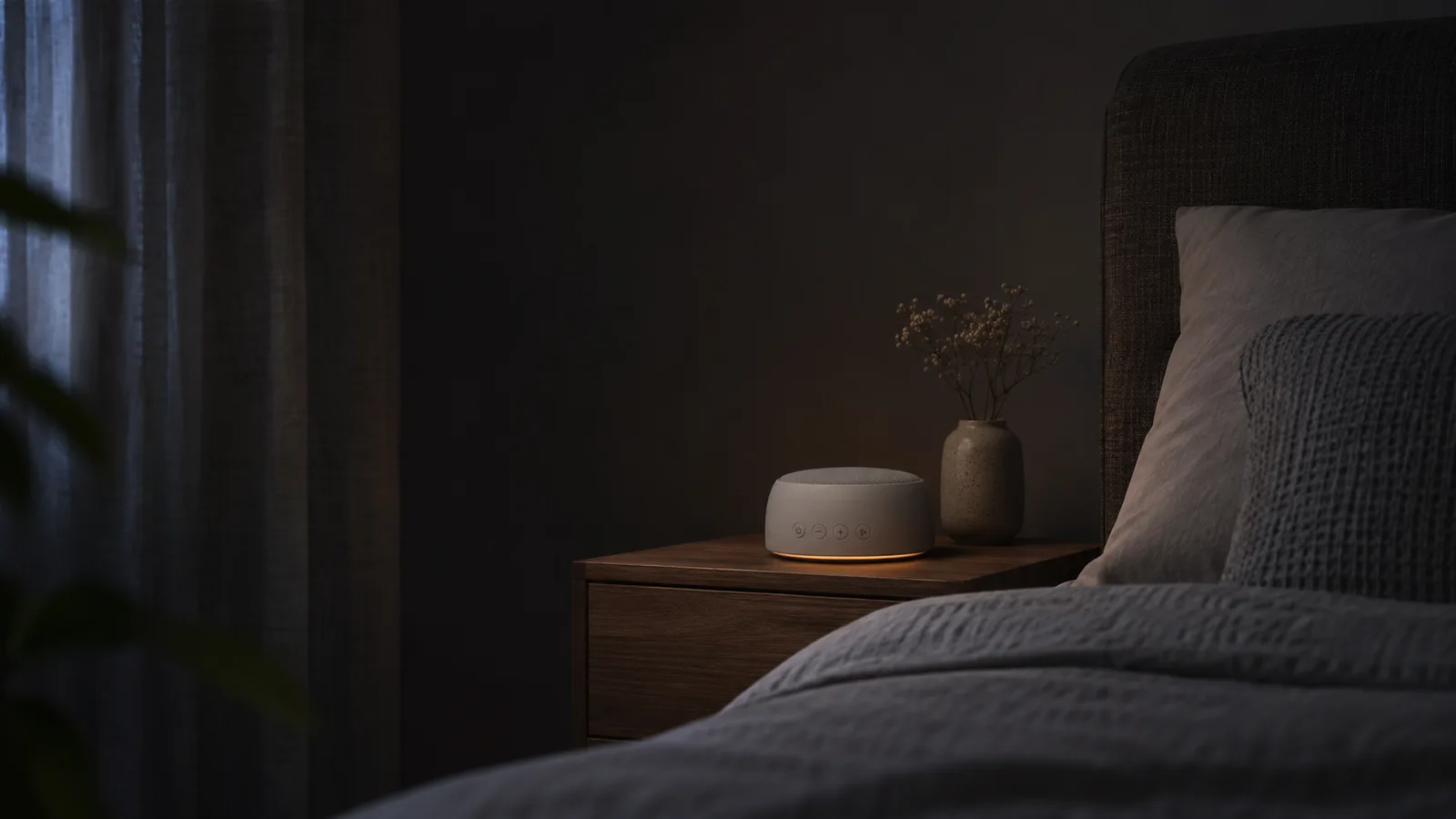
Exact product listing: The Dreamegg Classic D1+ Sound Machine and Alarm Clock in gray, model W27, matches ASIN B0D78ZDSZX. Identity was checked on November 16, 2026. Price, seller, stock, and rating are not asserted here.
The short answer: Choose the Dreamegg Classic D1+ if you want one compact device with a clock, alarm, sound library, and light controls that can both reach zero. Choose the Yogasleep Dreamcenter for a low-cost screen-free option, the Dohm Nova for real fan sound, the Loftie Clock for a true blackout clock display, or the Hatch Restore 3 for app-built routines and the broadest feature set.
This guide is specifically about a machine that will stay on a nightstand. It prioritizes display blackout, indicator behavior, controls you can find in the dark, footprint, outlet dependence, and ownership terms. If sound character, travel use, or maximum masking choice matters more than bedside darkness, start with our white noise machine comparison. If gradual light is the main feature, compare our sunrise alarm clock picks.
Quick decision summary
- Best overall bedside controls: Dreamegg Classic D1+. Its clock display and separate warm light both adjust from 0 to 100 percent, and its physical controls do not require an app.
- Best budget screen-free pick: Yogasleep Dreamcenter. It combines 26 sounds, a color night-light ring, and a headphone jack in a compact body without a clock display.
- Best real fan sound: Yogasleep Dohm Nova. Ten fan speeds and an independent amber light keep the experience simple, but it lacks a varied digital library.
- Best full-blackout clock: Loftie Clock. The display has a blackout mode and core controls remain usable after setup, but it costs more and needs Wi-Fi and an app initially.
- Best for customizable routines: Hatch Restore 3. It can hide the clock, turn its light off, and run saved routines from device controls, but customization depends on the app and Wi-Fi.
How we compared bedside sound machines
This is a researched guide, not a hands-on test. We compared current US manufacturer pages, support documents, manuals, return policies, warranties, and independent reviews on November 16, 2026. We did not measure sound level, frequency balance, button noise, display luminance, standby LEDs, power draw, or long-term reliability. Manufacturer documentation is the source for product facts. Affiliate availability did not affect inclusion or order.
The ranking starts with dark-room control. A “dimmable” claim is weaker than a documented zero setting, blackout mode, or screen-free design. We then considered tactile controls, footprint, alarms, connection requirements, power behavior, returns, and warranty. Published prices are dated snapshots, not promises.
| Pick | Listed size | Dark-room behavior | Sound and control | Price checked Nov. 16 |
|---|---|---|---|---|
| Dreamegg Classic D1+ | 4.3 x 4.3 x 2.7 in. | Clock and warm light each 0 to 100% | 29 sounds, physical controls, 6 alarm sounds | $49.99 |
| Yogasleep Dreamcenter | 4.6 x 4.6 x 2.5 in. | No clock display; timer LED turns off after 20 seconds | 26 sounds, physical controls, headphone jack | $32.99 |
| Yogasleep Dohm Nova | 5.6 x 5.6 x 3.7 in. | No clock display; independent amber light | Real fan sound, 10 speeds, physical controls | $64.99 |
| Loftie Clock | 6.5 x 2.75 x 2.75 in. | Adjustable display with full blackout mode | Clock, alarms, sound library, physical controls after setup | $199.99 |
| Hatch Restore 3 | 7.5 x 2.75 x 5.75 in. | Clock can be always off; routine light can be off | App-built routines plus four on-device controls | $169.99 |
1. Dreamegg Classic D1+: best overall bedside controls
The Classic D1+ addresses the nightstand problem directly. Dreamegg lists a clock brightness range from 0 to 100 percent and an independent warm night light with the same range. That gives a light-sensitive user documented off settings without losing the alarm, sound library, or physical controls. Its 4.3-inch square footprint is the smallest in this group by listed width and depth.
The manufacturer page lists 29 sounds, six wake sounds, a nine-minute snooze, and a USB-C power cable. A separate model W27 manual record says the backup battery preserves time during an outage but does not run the alarm without external power. Put the device on an outlet you can rely on if the wake alarm matters.
Ownership tradeoffs: Dreamegg states a 60-day return or quality guarantee and a one-year warranty. Speaker tone, button feel, display leakage, and alarm volume have not been measured here.
Who should skip it: anyone who wants app scheduling, a sunrise effect, rechargeable overnight operation, or verified real fan sound. Also skip it if a visible clock is unnecessary and the simpler Dreamcenter meets the need.
2. Yogasleep Dreamcenter: best budget screen-free pick
The Dreamcenter covers the basic bedside jobs. Yogasleep lists 26 sounds, including color noises, fan sounds, nature tracks, lullabies, and relaxation tracks. It also has an adjustable night-light ring, three timers, and a headphone jack.
The useful detail for a dark room is buried in the product FAQ: the timer LED turns off after 20 seconds. There is no clock display to manage. That does not prove the entire unit is free of stray light, but it is better evidence than a vague “sleep-friendly” label.
Ownership tradeoffs: the listed dimensions are 4.6 x 4.6 x 2.5 inches and the weight is 14 ounces. Yogasleep advertises a 30-night trial and one-year warranty. The product uses recorded loops rather than a mechanical fan, so someone sensitive to loop character should treat the return window as important.
Who should skip it: buyers who need a clock, alarm, app, rechargeable battery, real fan airflow, or a documented zero-brightness specification for every light. The lullabies do not make this a substitute for following pediatric safe-use guidance in a child's room.
3. Yogasleep Dohm Nova: best real fan sound
The Dohm Nova is the clearest choice for someone who prefers mechanically generated fan sound to digital recordings. Yogasleep lists 10 fan speeds, an adjustable amber night light, and 45-minute, 90-minute, and eight-hour timers. The light operates independently, so a user can run sound without making the night light part of the routine.
Its official specifications list 5.6 x 5.6 x 3.7 inches, 18 ounces, a removable machine-washable fabric cover, and 12-volt plug-in power for the US and Canada. An independent Wareable comparison, published in September 2026, evaluated bedside controls and display brightness and highlighted the Nova's simple physical operation. We use that as a usability cross-check, not a laboratory result.
Ownership tradeoffs: there is no broad library, alarm, clock, app, or battery operation. The 10 speeds do not add rain, nature, or color-noise tracks. Yogasleep offers a 30-night trial and one-year warranty on direct purchases.
Who should skip it: people who want many distinct sounds, travel use away from an outlet, an integrated alarm, or a published guarantee that every status light is completely dark. It is also the widest unit in this group.
4. Loftie Clock: best full-blackout clock
Loftie is the better clock-first choice. The display is adjustable and includes a full blackout mode, while the product combines two-phase alarms, sound content, a night light, and physical controls. After initial setup and synchronization, Loftie's technical guidance says Offline Mode can keep core functions available without an active Wi-Fi connection.
Initial setup is the tradeoff. The Loftie product page says a phone app and 2.4 GHz Wi-Fi are required. The USB-C clock's rechargeable battery is backup power, not the intended nightly source. Its 6.5 x 2.75 x 2.75 inch body is long but shallow.
Ownership tradeoffs: the direct price was $199.99 when checked. Loftie lists free US shipping and returns, a 30-day return window for like-new direct purchases in original packaging, and a one-year warranty for qualifying purchases. Keep the packaging until the fit decision is final.
Who should skip it: budget buyers, anyone who refuses initial app and Wi-Fi setup, or users expecting a battery-powered travel clock. Choose a simpler unit if alarms and a display are not necessary.
5. Hatch Restore 3: best for customizable routines
Restore 3 is the most configurable pick here. Hatch supports sound, light, bedtime routines, a sunrise alarm, a bedside-light button, and on-device controls after setup. Its support documentation says the clock can be set to always off and temporarily revealed by tapping the device. A separate light guide confirms that light can be toggled off within routine steps and alarms.
The Restore 3 overview says a phone is needed to customize content and settings, then four controls handle normal bedside use. Hatch lists 2.4 GHz Wi-Fi and a Bluetooth-capable setup device. The official dimensions are 7.5 x 2.75 x 5.75 inches and the weight is 19 ounces. It uses the most vertical space in this group.
Ownership tradeoffs: basic use does not require a subscription. Additional sounds and multi-step routines are part of Hatch+, and billing can begin after a trial if it is not canceled. The direct product page lists a 30-night trial and one-year warranty; the return policy covers eligible direct purchases within 30 days of shipment.
Who should skip it: anyone who wants full setup without a phone, dislikes account and Wi-Fi dependence, or does not value routines enough to justify the price. People who only need continuous masking sound can buy a simpler machine.
Compatibility and ownership checks
Inspect every light state
Check normal playback, timer mode, alarm-armed state, charging, lost Wi-Fi, and power restoration. A display that reaches zero can still have a status LED elsewhere. This research did not include a dark-room luminance test, so only documented off and blackout controls are treated as confirmed. If possible, use the return window to inspect the actual unit after your eyes adjust to darkness.
Keep safety alerts audible
A masking sound should not prevent you from hearing smoke alarms, carbon monoxide alarms, a child, a door, or another signal you depend on. Start at the lowest useful volume and place the machine farther from your head instead of automatically raising it. The NIDCD explains that risk depends on level, distance, and exposure time, and that sounds at or below 70 dBA are unlikely to cause hearing loss even after long exposure. No pick was measured for output here.
Plan for outlet and network failures
All five picks are intended to use external power. A backup battery that saves the time is not the same as a device that can run sound or alarms all night. If wake-up reliability matters, read the exact outage behavior, keep a second alarm, and avoid a switched outlet. For app devices, finish setup and test local controls before relying on them.
Separate included functions from subscriptions
Make a short list of the sounds, routines, and controls you actually need, then confirm which remain available without a paid plan. Subscription libraries can change. A larger catalog is not automatically more useful than one dependable sound you can start without a phone.
How to choose by user and budget
- Lowest cost: choose Dreamcenter if no clock is needed. Its timer LED shutoff is documented, but inspect the whole unit during the trial.
- Under $75 with an alarm: choose D1+ for the clock, alarm, and explicit zero settings. Keep a backup alarm if outages are a concern.
- Real fan preference: choose Dohm Nova. Pay for its mechanical sound and simple controls, not the small night light alone.
- Clock-first bedroom: choose Loftie if full display blackout and alarm design matter more than price and initial connected setup.
- Routine-first bedroom: choose Restore 3 if scheduled light, sound, and sunrise steps justify app setup and possible subscription costs.
For room light that comes from windows rather than electronics, our blackout curtain guide compares edge coverage and installation. If a partner prefers silence, sleep earplugs solve a different problem and require fit and audibility checks. If the machine is one part of a larger evening sequence, use our better sleep routine guide to keep the product in a supporting role. A sound machine can change the room environment; it does not diagnose or treat insomnia, tinnitus, anxiety, or another condition.
What the evidence does and does not show
A 2020 systematic review of continuous noise and sleep found mixed results and rated the evidence very low quality. That is why this guide compares controls and ownership instead of promising better sleep. A machine may make intermittent sounds less noticeable, but individual reactions to steady sound vary.
We did not play or record the sound libraries, measure decibels, run lux-meter tests, inspect app privacy behavior, or evaluate long-term speaker and fan durability. Product pages also do not provide standardized measurements for loop seams, tonal balance, button force, or standby glow. Prices, content libraries, policies, and app requirements were checked on November 16, 2026 and can change.
Frequently asked questions
Should a bedside sound machine have a timer?
Only if you want the sound to stop. Continuous playback avoids a change in the room when the timer ends, while a timer limits unnecessary operation. Check whether timer indicators remain lit and whether the device remembers the setting after power loss.
Is pink or brown noise better than white noise?
There is no universal winner. The labels describe different spectral emphasis, but recordings and speakers vary. Use a returnable product and choose the lowest comfortable volume with a sound you do not actively notice. Do not treat a color-noise label as a medical benefit.
Can I put a sound machine right beside my pillow?
Start farther away and at low volume, then confirm that important alarms remain audible. Placement depends on the room and the sound being masked.
Do Hatch or Loftie require Wi-Fi every night?
Both require connected setup. Hatch uses Wi-Fi and the app for customization, while saved routines have on-device controls. Loftie documents an Offline Mode for core functions after initial synchronization. Check current support pages before buying because app and network behavior can change.
Which pick has the least visible light?
D1+ documents zero settings for both its clock and night light, Loftie documents a full blackout display, and Dreamcenter has no clock display and turns its timer LED off after 20 seconds. That is not a measured ranking of total stray light. Only an inspection in a dark room can reveal every indicator and reflection on a particular unit.
Sources
- Dreamegg: Classic D1+ sounds, display and light range, dimensions, price, returns, and warranty
- Dreamegg W27 manual record: exact model and power-outage behavior
- Yogasleep: Dreamcenter sounds, light, timer LED, dimensions, trial, and warranty
- Yogasleep: Dohm Nova fan controls, night light, dimensions, power, trial, and warranty
- Loftie: Clock display, controls, setup, power, price, returns, and warranty
- Loftie: dimensions, Wi-Fi, offline behavior, and power compatibility
- Hatch: Restore 3 setup, routines, app needs, and on-device controls
- Hatch: Restore 3 dimensions, weight, materials, Wi-Fi, and Bluetooth requirements
- Hatch: clock-hidden behavior and bedside controls
- Hatch: included features and Hatch+ differences
- Wareable: 2026 independent bedside control and display comparison
- Journal of Sleep Medicine systematic review: continuous noise and sleep evidence
- NIDCD: sound level, distance, duration, and hearing risk
Before you buy
- Decide whether you need sound only, a clock, an alarm, or a full routine.
- Confirm every display, night-light, and status indicator can be dark enough.
- Check outlet reach, outage behavior, Wi-Fi needs, and app compatibility.
- Keep safety alarms audible and begin at the lowest useful volume.
- Read direct-purchase return and warranty terms before discarding packaging.