Best Cable Management Solutions for Desks (2026)
Affiliate disclosure: As an Amazon Associate I earn from qualifying purchases. MedHelperPro may earn a commission from eligible purchases made through links in this guide, at no extra cost to you. Affiliate availability does not affect our selections. Read the full disclosure.
Research note: Product selections are based on published specifications, policies, and independent evidence unless a guide explicitly describes hands-on testing.
Match the organizer to the load, then choose the mounting method.
Choose the VIVO DESK-AC06-1C when you can screw into a compatible wood desktop and want one tray for a power strip and adapters. Choose IKEA FÖRSÄSONG when drilling is off limits. Humanscale NeatTech Mesh is the premium pick for easier access across a wide desk. D-Line Cable Tidy Tube gathers a shared cable drop, while Command 5-Cord Clips handle a few light, separate runs. A sleeve or clip does not replace a tray when heavy power bricks need support.
FIRST
A tray carries weight. A sleeve turns flexible cords into one route. Clips keep light cables from wandering. Each solves a different job and can fail when used for another.
Before shopping, count the strip, adapters, and cables under the desk. Note the top material, edge shape, and thickness. If the desk rises, follow every cable from the moving surface to the fixed outlet. This prevents buying an organizer that cannot hold the load or attach to the desk.
Which desk cable organizer should you buy?
| Solution | Best use | Verified capacity or fit | Installation | Price and ownership checked Sept. 8 |
|---|---|---|---|---|
| VIVO DESK-AC06-1C tray | Best overall for a drillable wood desk | 11 lb maximum; 16.5 by 3 by 4.5 in | Two screws; pilot holes needed for hardwood | $19.99 sale, $29.99 regular; 30-day return; 1-year warranty |
| IKEA FÖRSÄSONG | Best no-drill tray for renters | 7 lb maximum; clamps desk edges 5/8 to 1 5/8 in | Clamp mount; two reusable fastenings included | $12.99; unopened returns within 365 days, opened within 180 days with proof of purchase |
| Humanscale NeatTech Mesh | Best premium wide-desk basket | 10 lb maximum; mini, small, and large widths offered | Four screws; basket folds down for access | From $126.40 during a 20% promotion, normally from $158; 5-year warranty; 30-day prepaid-return path |
| D-Line Cable Tidy TubeCheck price on Amazon | Best sleeve for a shared cord drop | 1.1 m long; 19.5 or 26 mm bundle size, depending on model | Pre-split sleeve; no tool required | Price, seller warranty, and returns vary by retailer |
| Command 5-Cord Clip OrganizerCheck price on Amazon | Best adhesive clips for light cable runs | Up to 5 cords per clip; 2 clips and 4 medium strips per pack | Adhesive strips on compatible smooth surfaces | Price and return policy vary by retailer; clips reuse with medium refill strips |
Price note: Direct US prices and policies were checked September 8, 2026. Promotions, stock, shipping, taxes, and seller terms can change. D-Line and Command do not give this guide a direct US checkout price, so their price cells stay variable rather than borrowing a temporary marketplace listing.
How were these cable management picks selected?
This shortlist starts with the job each product can document. Published weight limits matter for trays. Surface compatibility matters for adhesive clips. Bundle diameter matters for sleeves. The selection also checks installation instructions, access after mounting, direct price, warranty, and the practical cost of undoing a poor choice.
- Load evidence: A numbered weight or bundle limit is more useful than a photo of a perfectly arranged desk.
- Mount fit: Screw, clamp, adhesive, and wraparound designs suit different desktops and rental rules.
- Access and ownership: Power switches, desk movement, return timing, warranty, surface risk, and later cable changes all count.
Independent coverage supplies a useful reality check without becoming a MedHelperPro test. WIRED's March 2026 setup guide also separates trays, sleeves, ties, and grommets by job. It recommends planning exact cord lengths and allowing extra reach when a standing desk rises. MedHelperPro did not import its rankings or claim its hands-on work.
Why is the VIVO tray the best overall value?
The VIVO DESK-AC06-1C is the simplest researched answer for a fixed or standing wood desk that can accept screws. Its published 16.5-inch length leaves enough room for many compact power strips, and its open 4.5-inch depth can hold adapters without sealing them in a box. The maker sets the maximum load at 11 pounds.
Installation is the deciding tradeoff. The manual uses two self-tapping screws and calls for 1/8-inch pilot holes in hardwood. Check top thickness, obstructions, screw length, and desk-maker restrictions first. Glass, stone, hollow-core tops, thin veneers, and hidden electronics require specific confirmation.
The open tray also keeps the power strip visible, which makes switches and damaged cords easier to inspect. It does not stop a loose adapter from sliding when the desk moves. Use the tray's openings or separate reusable ties to secure the load without crushing cables. Best for: a buyer who wants useful capacity at a low direct price. Skip it if: the desk cannot be drilled, the screws cannot reach sound material, or an 11-pound combined load is too low.
When is IKEA FÖRSÄSONG the better no-drill choice?
FÖRSÄSONG earns the renter pick because its clamp attaches without adhesive or screw holes. IKEA publishes a 5/8 to 1 5/8-inch desktop range, a 7-pound maximum load, and a 15 by 4.25-inch footprint. Two touch-and-close fastenings help keep a strip or adapter from moving inside the basket.
The clamp needs a straight, accessible edge. A rear apron, deep bevel, rounded edge, wall gap, monitor-arm plate, or built-in tray may block it. Seven pounds also disappears quickly once a long strip and several large laptop adapters are included. Weigh or add the listed product weights rather than judging by empty space.
IKEA's current US policy allows unopened returns within 365 days and opened returns within 180 days with proof of purchase. Keep the receipt and packaging until fit is settled. Best for: a straight-edged desk where holes are prohibited. Skip it if: the edge falls outside the clamp range or the basket would collide with a wall or chair arm.
Is Humanscale NeatTech Mesh worth the premium?
NeatTech Mesh is for a wide, cable-heavy workspace where access matters more than price. Humanscale offers mini, small, and large versions described as 24, 38, and 48 inches wide. Internal straps organize power cords and adapters, and the mesh basket folds down when something needs to change. The company publishes a 10-pound maximum and a five-year warranty.
The open mesh keeps adapters visible, but width must not be mistaken for load capacity. Four screws make this another permanent installation. The current direct starting price is $126.40 during a 20% promotion, normally $158. Humanscale offers a prepaid return label when requested within 30 days. Best for: a premium sit-stand setup that changes often. Skip it if: low cost, no-drill installation, or capacity above 10 pounds matters more.
Should you use a cable sleeve instead of a tray?
A sleeve is for supported cords that need to travel together. D-Line Cable Tidy Tube is a 1.1-meter pre-split sleeve, so cables can enter or leave along the route. The official data sheet lists 19.5 and 26-millimeter sizes and says no tool is required.
A sleeve is not a shelf. It should not hang a power brick from its connector, hide a damaged cord, or force plugs through a diameter they do not fit. The cleanest route often combines a tray under the moving desktop with one sleeve carrying the outgoing power and data cables. Leave a relaxed loop at the point where movement begins.
Best for: turning several supported cables into one manageable route. Skip it if: the real problem is unsupported adapters or an overloaded power strip.
Are Command cord clips enough for a desk?
Command 5-Cord Clips are good finish work. Each clip routes up to five cords, and a pack contains two clips with four medium strips. 3M lists glass, metal, tile, laminate, finished wood, and painted surfaces as compatible examples. Wallpaper, fabric, textured walls, brick, and rough surfaces are excluded.
Use them for a monitor lead, a charging cable that keeps falling, or a vertical run down a desk leg. Do not ask adhesive clips to carry strips, transformers, or a thick suspended bundle. Preparation, paint condition, temperature, cable pull, and removal all matter.
The clip body can be reused with Command Medium refill strips. That is useful when the layout changes, but replacement strips do not erase finish risk. Test an inconspicuous spot and follow the current removal direction. Best for: light individual cables on a compatible smooth surface. Skip it if: the surface is rough, freshly painted, valuable, unverified, or continuously pulling against the strip.
Tray vs sleeve vs clips: what is the difference?
- Choose a tray when a power strip, surge protector, dock, or power adapters need structural support under the desk.
- Choose a sleeve when supported cords share the same route and need to move or look like one bundle.
- Choose clips when one or a few light cables need a defined path or an accessible parking point.
- Combine all three when a tray supports the heavy equipment, a sleeve carries the main drop, and clips steer small branches away from mechanisms.
How much cable tray capacity do you need?
Start with the power strip. Measure its full size with the largest plugs inserted, then add the largest adapter, cable bends, and finger room for the switch. Compare that occupied envelope with the tray's usable inside space.
Add the strip, every resting adapter, mounting ties, and any other carried device. Stay under the published limit and leave headroom. A long tray does not automatically carry more weight.
Map drawer slides, frame rails, controls, crossbars, and knee clearance. The dual-monitor arm guide explains why clamp plates need clear zones. Put a paper outline under the desk before drilling.
Should you use screws, clamps, or adhesive?
Screws provide a mechanical attachment only when the fastener and desktop are compatible. They suit approved wood tops. Confirm screw depth before starting.
Clamps preserve the surface and work well in rentals. They need a straight edge within the published range. Tighten only as directed because a soft top can mark.
Adhesive works for light routing on listed smooth surfaces, not constant downward load or tension. If the finish is delicate or uncertain, use a clamp or freestanding route.
How do you route cables on a standing desk?
Mount the strip and adapters to the moving desktop when the desk maker allows it, then run one longer power lead to the wall with a gentle service loop. The route depends on the frame, outlet, and accessories in the standing desk comparison.
Unplug devices before reorganizing the route. With the surface lightly loaded and the area clear, move the desk slowly through its normal range while watching every cord. Nothing should pull a connector, rub a sharp edge, enter a lifting column, catch a crossbar, or drag through the chair path. Stop the desk if a cord tightens. Keep children and pets away from the moving base.
Check the monitor arm at its widest reach. A cable can fit while centered and tighten when the arm swings forward. Keep controls and sensors clear, then recheck after a week because loops can migrate.
What cable safety rules matter at a home desk?
The US Consumer Product Safety Commission home electrical checklist says to replace damaged cords, keep cords away from foot traffic, and avoid running them under rugs or furniture. It also warns against nails and wire staples, which can damage insulation, and against tightly wrapped cords that can trap heat.
Extension cords are temporary tools, not permanent household wiring. Do not overload a cord or power strip, daisy-chain strips, or hide a warm adapter where it cannot be inspected. Use products with the correct electrical rating and certification for the application. If an outlet, plug, strip, or cable becomes hot, discolored, cracked, loose, or unreliable, stop using it and follow manufacturer or qualified electrician guidance.
Cable organization improves access and reduces snags; it does not increase an outlet's capacity or repair unsafe wiring. Keep switches and plugs reachable. A clean-looking closed box is worse than an open tray if it hides damage or prevents airflow.
Buyer's checklist before ordering
- Inventory the real load. List the strip, adapters, chargers, docks, and cables that must be supported today.
- Measure the occupied bundle. Include inserted plugs, cable bends, switches, and room for your fingers.
- Inspect the desk. Record top material, thickness, edge shape, underside rails, drawers, and the maker's mounting restrictions.
- Choose one mounting method. Use screws only in approved material, clamps only on compatible edges, and adhesive only on listed surfaces for light runs.
- Map movement. Include chair travel, monitor-arm reach, desk height, wall clearance, and floor traffic.
- Read the manual first. Confirm fastener size, load limit, surface preparation, and access before opening holes or adhesive.
- Keep packaging and proof of purchase. Finish the fit and travel checks inside the return window.
If this is part of a new room, the small-room desk setup guide puts the cable route after the desk, chair, screen, and lamp have found their working positions. Routing too early usually means doing the job twice.
Frequently asked questions
What is the best cable management for a standing desk?
A tray attached to an approved part of the moving desktop is usually the cleanest base because the power strip and adapters rise with the desk. Add one flexible sleeve for the longer route to the wall and leave a relaxed service loop. Check the entire height range before daily use.
Can adhesive cable clips damage a desk?
They can mark or lift a finish when the surface is incompatible, weak, dirty, newly painted, exposed to unsuitable temperatures, or removed incorrectly. Follow the adhesive maker's surface list and removal instructions. Use a clamp or freestanding route on valuable or uncertain finishes.
Can power and data cables share one sleeve?
A sleeve can gather compatible intact cords when their product instructions allow it, but do not create a tight powered coil, exceed a sleeve diameter, crush a bend, or hide a damaged cable. Keep heat-producing adapters supported and exposed. Check any equipment-specific separation requirements before bundling.
How much slack should a standing-desk cable have?
Use enough slack for the desk and monitor arm to reach every normal position without pulling, rubbing, or lifting the plug, but not so much that the loop enters feet, chair wheels, or moving hardware. There is no universal length. Measure the actual route at both height extremes.
Research and testing limitations
MedHelperPro did not physically install or use these cable organizers. No load, heat, adhesive, finish, pull, noise, assembly-time, chair-impact, desk-cycle, or long-term durability measurements were performed. First-party specifications, prices, and policies were checked September 8, 2026. Independent observations stay attributed to the publication that made them.
The editorial calendar proposed a one-month durability test involving daily disturbance from children, pets, and a chair. The repository does not contain product samples, a controlled workspace, consented participants, dated disturbance logs, before-and-after photos, pull-force measurements, or a written test protocol. Publishing a durability winner would therefore invent evidence. This researched guide omits that proposed test and gives readers a transparent audit instead: photograph the route after installation, check it weekly for four weeks, log loose mounts and migrating cables, and stop if any electrical component shows damage or heat.
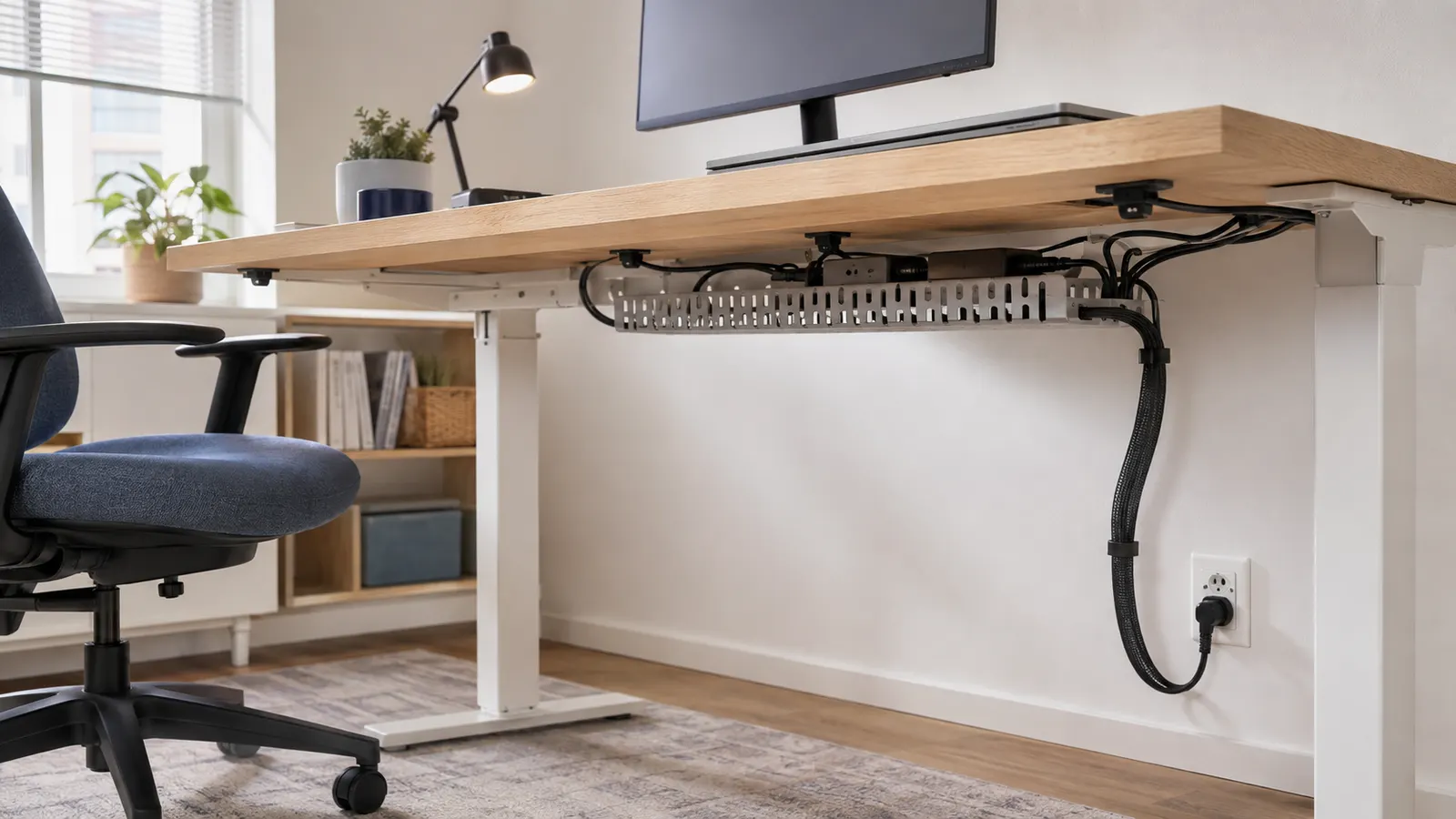
The original hero is a generated editorial scene, not a photograph of a MedHelperPro test area or the named products.
Sources and further reading
- VIVO: DESK-AC06-1C dimensions, price, load limit, warranty, and return information
- VIVO: DESK-AC06-1C installation manual
- IKEA: FÖRSÄSONG specifications, price, clamp range, and load limit
- IKEA US: return policy
- Humanscale: NeatTech Mesh specifications, price, capacity, and warranty
- Humanscale: NeatTech sizes, mounting, access, and internal straps
- Humanscale: direct-shop return policy
- D-Line: Cable Tidy Tube dimensions, material, installation, and maker-reported test
- 3M Command: 5-Cord Clip capacity, package contents, and compatible surfaces
- WIRED: March 2026 desk cable planning and routing guide
- Consumer Reports: December 2025 cable-management box tests and selection factors
- US Consumer Product Safety Commission: home electrical safety checklist
- US Consumer Product Safety Commission: extension cord safety
Before you buy: Recheck price, stock, dimensions, load, desktop compatibility, instructions, warranty, and return costs. This guide offers general product research and electrical-safety reminders; it does not replace product instructions or qualified electrical advice.