Best Monitor Arms for Dual Monitors (2026)
Affiliate disclosure: As an Amazon Associate I earn from qualifying purchases. MedHelperPro may earn a commission from eligible purchases made through links in this guide, at no extra cost to you. Affiliate availability does not affect our selections. Read the full disclosure.
Research note: Product selections are based on published specifications, policies, and independent evidence unless a guide explicitly describes hands-on testing.
Match each arm to each screen's weight before comparing style or price.
UPLIFT Crestview Dual is the best overall researched pick for mismatched screens because each arm supports a broad published weight range. Ergotron LX Pro Dual Stacking is the premium mobility choice. Vari Series 2 simplifies top-side installation. HUANUO HNDS6 is the budget pick. VIVO STAND-V002O-L is the practical monitor-and-laptop option.
CRESTVIEW
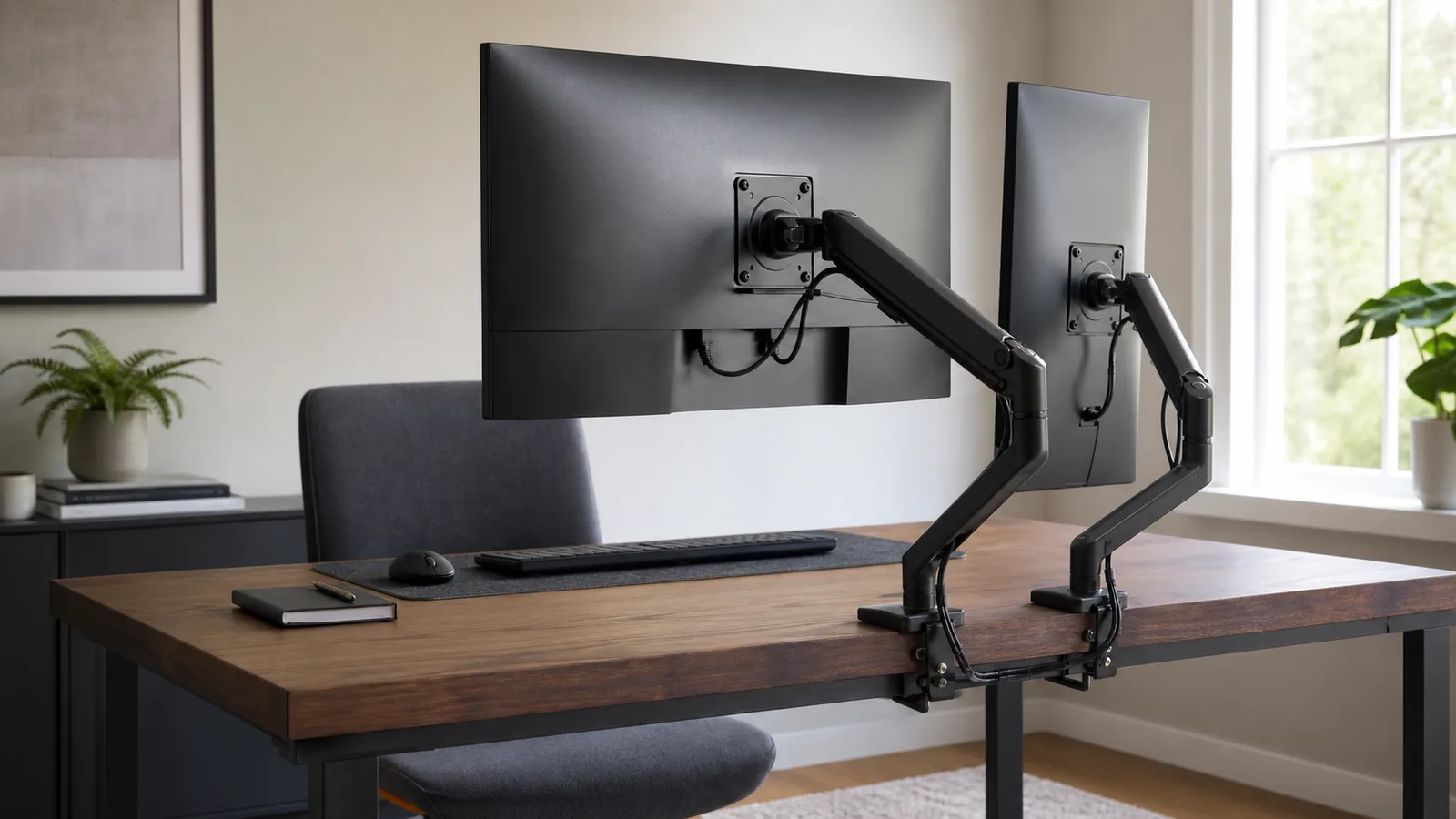
The right dual-monitor arm is not necessarily the one with the largest combined capacity. Each screen must fall inside its own arm's weight range, without the factory stand and with any VESA adapter included. Then the mount has to fit the desk, and the joints need enough reach to place both screens without forcing one far forward.
A light portrait monitor beside a heavy 32-inch display can defeat a dual arm that looks generous on a total-load chart. This guide compares per-arm capacity, desk fit, motion, cable routing, warranty, and returns. Use the ergonomic workspace buying order to size the desk and chair before adding accessories.
Quick comparison: which dual-monitor arm should you buy?
| Monitor arm | Published load per side | Desk mounting | Reach and movement | Best for |
|---|---|---|---|---|
| UPLIFT Crestview Dual | 2.2 to 33 lb per arm | Clamp and bolt-through mounts included | 23.5 in reach; 13 in vertical adjustment; portrait rotation | Mismatched monitor weights |
| Ergotron LX Pro Dual StackingCheck price on Amazon | 4 to 22 lb per monitor, 44 lb total | Desk clamp; grommet kit sold separately | Up to 25.8 in extension; 13 in lift; broad pan and rotation | Premium repositioning and stacked layouts |
| Vari Dual-Monitor Arm Series 2 | Up to 19.8 lb per arm | Top-side clamp installation | Fully articulating; 180 or 360 degree rotation | Straightforward installation and returns |
| HUANUO HNDS6Check price on Amazon | 4.4 to 19.8 lb per arm | C-clamp and grommet | 15.75 in center height; portrait rotation | Budget setups within a clearly checked range |
| VIVO STAND-V002O-LCheck price on Amazon | Monitor: 4.4 to 19.8 lb; laptop: up to 9.9 lb | Clamp and grommet | 19.75 in extension; 6.25 to 16 in height | One monitor plus one laptop |
Direct prices checked July 29, 2026: VIVO listed its arm at $59.99, HUANUO HNDS6 at $69.99, UPLIFT Crestview Dual at $189, Vari Series 2 at $299 before any temporary promotion, and Ergotron LX Pro Dual Stacking around $415 to $427. Prices and shipping can change. Compare the final cart and seller terms.
How were these monitor arms selected?
The shortlist starts with fit. A good return policy cannot make an overloaded spring safe, and a wide weight range cannot fix a weak desktop. No product received a score based on customer reviews, maker ratings, or unverified testing claims.
- Per-arm capacity: Both the minimum and maximum matter. A gas spring tuned for a heavy display may drift upward with a light screen.
- VESA fit: The common patterns here are 75 by 75 mm and 100 by 100 mm. An adapter adds weight.
- Desk fit: Clamp opening, grommet range, rear-edge shape, underside obstructions, and desktop material all affect installation.
- Useful motion: Extension and vertical travel matter more than a long list of rotation angles if the screens cannot meet at the right depth.
- Ownership: Warranty, packaging rules, and return freight determine whether a fit trial is practical.
BIFMA's standards descriptions place monitor support products within its X5.5 desk-and-table standard. A named standard is useful safety and durability evidence, not a comfort score.
PCWorld's July 2026 guide evaluated several current and earlier models. Tom's Guide evaluated earlier Vari and Ergotron designs. These reports helped check category tradeoffs; no result or score was transferred to a revised model.
Why is UPLIFT Crestview Dual the best overall researched pick?
Crestview Dual handles the widest mismatch in this group on paper. UPLIFT's current comparison chart lists 2.2 to 33 pounds per arm, VESA 75 and 100 mm quick-release plates, a 23.5-inch reach, 13 inches of vertical adjustment, and up to 35-inch displays when space permits. Both the desk clamp and bolt-through mount come in the box.
That low minimum is as valuable as the high maximum. It leaves room for one light portrait screen and one heavier landscape display. Each arm can rotate into portrait orientation, and cable covers keep wires close to the structure. The arms collapse to 4.6 inches from the back.
The warranty language deserves a pause. UPLIFT's product and comparison materials advertise 15 years, while its current detailed warranty page places monitor arms in a 10-year category. Confirm the written term attached to the exact order and save it. Eligible direct purchases generally have a 30-day free-return path in the contiguous United States if they remain like-new and retain original packaging. Best for: unequal screen weights and buyers who want both mount styles included. Skip it if: the conflicting warranty language is unacceptable or the 23.5-inch reach cannot clear a deep desk.
When is Ergotron LX Pro Dual Stacking worth the premium?
Ergotron LX Pro Dual Stacking is the flexible choice for screens that move often or need a stacked arrangement. Its current specification lists 4 to 22 pounds per monitor, 44 pounds total, 13 inches of lift, and up to 25.8 inches of extension. It supports VESA 75 and 100 mm, 360-degree display rotation, a 180-degree monitor pan, and a stop that can limit base rotation near a wall.
The new LX Pro line carries a 10-year warranty. Ergotron says the design completed a manufacturer-run 10,000-cycle motion test. That is maker evidence, not a MedHelperPro result. Typical screen-size guidance is 27 inches or smaller, though fit depends on weight, width, depth, and layout.
The desk clamp is standard; a grommet kit costs extra. Returns may depend on the seller. Best for: screens repositioned often or a stacked layout. Skip it if: either monitor exceeds 22 pounds, you need an included grommet mount, or a fixed layout does not justify the premium.
Is Vari Series 2 the easiest dual-monitor arm to install?
Vari's Dual-Monitor Arm Series 2 uses a top-side mount, so most installation work happens above the desk instead of behind it. The current product page supports two monitors up to 27 inches and 19.8 pounds each, VESA 75 and 100 mm, adjustable tension, built-in cable channels, and either 180 or 360 degrees of rotation.
It suits a conventional pair of moderate-size screens where the owner values a clean return process more than maximum reach. Vari advertises a 10-year warranty and free 30-day returns on direct purchases, subject to its conditions.
The 27-inch guidance and 19.8-pound ceiling make this a weaker choice for an oversized primary display. Top-side installation still requires a suitable desk edge. Best for: two ordinary office monitors and buyers who dislike under-desk hardware work. Skip it if: one screen is large or heavy, or exact extension is central to the layout.
Is HUANUO HNDS6 a good budget dual-monitor arm?
HNDS6 is the budget pick when both displays land comfortably inside its current published range. HUANUO lists 13 to 32-inch screens weighing 4.4 to 19.8 pounds each, VESA 75 and 100 mm, a C-clamp and grommet option, up to 15.75 inches of center height, 180-degree swivel, and portrait rotation. Built-in routing channels carry the cables.
Exact model and revision matter here. PCWorld's older HNDS6 sample had a lower 14.3-pound maximum and a different installation experience. The current direct page publishes 19.8 pounds. Do not use a review of the old specification to validate the current one, and do not buy from a marketplace listing that hides the SKU or manual.
HUANUO's product page says up to five years of warranty coverage, while the broader warranty page uses less specific categories. Confirm the exact HNDS6 term before ordering. The direct site advertises a 30-day free return. Best for: a price-conscious pair of moderate monitors with known weights. Skip it if: either screen approaches the upper limit, the seller cannot identify the revision, or unambiguous long-term coverage matters.
Who should choose the VIVO monitor-and-laptop arm?
VIVO STAND-V002O-L solves a different dual-screen problem: one VESA monitor plus one laptop. The monitor side supports 17 to 32-inch displays weighing 4.4 to 19.8 pounds. The tray fits laptops from 10 to 15.6 inches and up to 9.9 pounds. The stand includes clamp and grommet hardware, reaches 19.75 inches, and adjusts from 6.25 to 16 inches in height.
The 12 by 11-inch tray has adjustable side supports, and the monitor rotates between landscape and portrait. It is also the least expensive option here.
The tradeoff is a shorter three-year warranty. VIVO allows returns within 30 days, but its policy says original shipping and return shipping are not refundable for a mistaken or unwanted purchase. Best for: a laptop-driven workstation with one external monitor. Skip it if: you need two VESA monitors, use a laptop larger than the tray range, or want a low-cost fit trial with prepaid return shipping.
How do you match two unequal monitors to an arm?
Start with exact model numbers and each manufacturer's weight without the factory stand. Add the VESA adapter, mounting plate, webcam, light, or privacy filter. Compare that result with the range for that specific side, not a combined number.
- Write down each screen's weight without its stand and its VESA pattern.
- Add every accessory that moves with that screen.
- Check each side against the arm's full supported range and leave reasonable headroom.
- Measure screen width, not just diagonal size, so the inner edges can meet.
- Sketch the desired depth and arm-base position before checking reach.
A 32-inch screen beside a laptop tray is not an ordinary dual-monitor load. The laptop side includes tray and computer weight. A purpose-built model such as the VIVO is easier to verify. Two independent single arms can also offer more placement freedom than one shared base.
Should you use a clamp or grommet mount?
A clamp is the reversible choice when the rear edge is square, strong, and clear underneath. It also lets you move the base during the return window. A grommet or bolt-through mount uses an existing cable hole or an approved drilled opening. It can free rear-edge space, but drilling is permanent and may affect the desk warranty.
Measure desktop thickness at the actual mount point. Look underneath for frame rails, control boxes, drawers, cable trays, and beveled edges. Particleboard, hollow-core tops, glass, stone, and visibly damaged wood need special care or may be prohibited by the arm or desk maker. A reinforcement plate can spread clamp pressure over a wider area. It does not increase the arm's weight rating or make an unsuitable desktop safe.
If the arm will sit on an adjustable desk, check the clamp zone in the dual-monitor standing desk guide. If it will ride on a desktop riser, use a documented grommet or integrated mount from the standing desk converter comparison. Leave enough cable slack for the full height range without letting cables enter a joint or moving column.
How much reach, rotation, and cable management do you need?
Reach determines whether monitors can come forward or clear more desk space. It also creates leverage at the mount. If screens shake while typing, moving the arms closer to the posts may help, but it cannot repair a weak top or loose hardware.
Portrait rotation is useful for code, documents, and chat, but the screen still needs physical clearance at the desk and neighboring display. A 360-degree claim does not mean every cable can safely follow a full turn. Route video and power cables through the intended channels with a gentle service loop at each joint. Test the full planned motion by hand before tightening the final bundle.
How should you check fit during the return window?
Keep all packaging and follow the exact manual. Confirm the desktop and clamp are approved before attaching a display. Use help when a screen is awkward to lift, and never exceed a published load. After installation, set each spring or tension mechanism only as the manual directs.
Move each screen through its ordinary height, depth, tilt, and rotation. Check whether the inner edges align, whether either arm hits the wall, and whether ports and cables remain clear. Type normally with the screens at your real working depth. If the outer edges move more than you can tolerate, bring the arms closer to their posts and recheck the mount and desktop before blaming the spring.
This is a personal fit check, not a standardized test. Do not pull down on an arm, overload it, drill an unapproved surface, or use a plate as permission to exceed a limit.
Where should dual monitors sit?
OSHA's computer-monitor guidance says screens should generally sit at least 20 inches away, with the top at or below eye level and the display directly in front of the user. Its workstation checklist says the primary screen should be directly ahead with the second beside it. If both are used equally, place them next to each other within a comfortable viewing angle that limits head movement.
Those are setup principles, not treatment advice. Screen size, vision needs, task, glasses, and desk depth affect the final position. A monitor arm creates adjustment; it does not guarantee comfort. If the keyboard cannot sit near relaxed elbows, fix the desk and chair geometry first. Then use the keyboard and mouse fit guide to compare input-device width, hand size, and connection tradeoffs. The adjustable office chair guide explains which chair dimensions to verify.
Limitations of this researched guide
MedHelperPro did not receive samples, attach a 32-inch monitor and laptop tray, measure screen drift, cycle the joints, inspect clamp pressure, or compare cable movement. The calendar proposed a mismatched-weight test using one 32-inch monitor and a laptop stand. That test was omitted because the repository contains no samples, dated setup log, equipment weights, measurements, photos, or video.
Instead, the guide provides a repeatable compatibility worksheet based on current manuals and product pages. Specifications, direct prices, stock signals, warranties, and return terms were checked on July 29, 2026 and can change by seller, revision, and region. Maker-run cycle tests are labeled as such. No product rating or hands-on claim is implied.
Frequently asked questions
Can one dual arm hold monitors with different weights?
Yes, if each monitor, without its stand and with attached accessories, falls within the supported range for its individual arm. Check the minimum as well as the maximum. A light screen can drift on a spring designed for heavier loads.
Is one dual arm better than two single arms?
One dual arm uses one base and can look cleaner. Two single arms allow separate clamp positions and often make very unequal screen widths easier to align. They also spread the mounting points, which may help placement but still requires an approved, strong desktop.
Do all monitors support an arm?
No. Check for a VESA pattern and the required screws in the monitor manual. Some displays need a model-specific adapter, and that adapter counts toward the arm load. A monitor without an approved mounting path should stay on its stand.
How close should dual monitors be to your eyes?
OSHA gives 20 inches as a general minimum and says screens are commonly placed farther away based on size and readability. Use a distance that keeps text clear without leaning forward, then adjust scaling and font size instead of pulling a very large screen too close.
Sources checked July 29, 2026
- OSHA computer-monitor guidance
- OSHA workstation evaluation checklist
- NIOSH office-environment guidance
- VESA Flat Display Mounting Interface standard overview
- BIFMA furniture standards descriptions
- UPLIFT Crestview Dual product page
- UPLIFT monitor-arm comparison chart
- UPLIFT warranty terms
- UPLIFT return policy
- Ergotron LX Pro Dual Stacking product page
- Ergotron LX Pro Dual Stacking specification sheet
- Ergotron warranty policy
- Vari Dual-Monitor Arm Series 2 product page
- HUANUO HNDS6 product page
- HUANUO warranty information
- VIVO STAND-V002O-L product page
- VIVO return policy
- PCWorld monitor-arm testing and recommendations
- Tom's Guide monitor-arm testing and recommendations
Before you buy: Confirm each display's weight without its stand, VESA pattern, adapter weight, desk material, edge shape, thickness, underside clearance, mount hardware, warranty, return shipping, and exact model revision. Keep the packaging until both screens hold their positions and every cable moves freely.