Best Standing Desk Converters: 5 Picks (2026)
Disclosure: This researched guide compares current manufacturer specifications, manuals, prices, warranties, returns, recognized ergonomics guidance, and independent coverage. No affiliate links were added. MedHelperPro did not assemble, load, raise, lower, or wobble-test these converters.
VariDesk Pro Plus 36 is the simplest all-around choice.
Choose Vari for a ready-to-use manual converter, VIVO for the lowest-cost dual-monitor package, Ergotron for a wide straight lift, UPLIFT for electric lifting and heavy equipment, or Humanscale for an integrated monitor workstation. Prices and ownership terms were checked September 25, 2026.
PRO PLUS 36
A standing desk converter makes the most sense when the existing desk must stay. It is a weaker value when the unit is nearly as expensive as a complete electric desk, raises the seated keyboard too high, or leaves too little depth for the monitor.
Compare the converter decision with a full replacement in our standing desk guide for dual-monitor setups. If a converter still fits the room and budget, weigh the entire setup before choosing a load rating.
Which standing desk converter should you buy?
| Converter | Best for | Work area and lift | Published load | Direct price checked Sept. 25 |
|---|---|---|---|---|
| VariDesk Pro Plus 36 | Best overall manual pick | 36 in wide; 4.5 to 17.5 in; 11 stops; rowing lift | 35 lb | $429 |
| VIVO K Series with dual mount | Budget dual monitors | 31.5 by 15.7 in top; 4.5 to 20 in | 33 lb page; 28.6 lb current manual | $179.99 |
| Ergotron WorkFit-TL | Wide straight-up lift | 37.5 by 23 in top; 15 in lift | 10 to 40 lb | $579 sale listing |
| UPLIFT E7 Electric | Heavy multi-monitor gear | 30 by 21.5 in top; 21 in electric range | 110 lb total; 17.6 lb per monitor mount | $649; mount upgrades extra |
| Humanscale QuickStand Eco Dual | Integrated monitor setup | 30 by 19 in platform; 18.6 in range | 35 lb main assembly | $1,052; nine-week stated lead |
Price note: These are US direct prices or current manufacturer listings before tax. Ergotron and dealer pricing differed when checked. Product configuration, finish, stock, delivery, and promotions can change quickly.
How were these standing desk converters selected?
The shortlist covers five distinct buying cases rather than five versions of the same X-frame. Each pick needed a current US purchase path, clear load and surface information, a separate typing level or integrated workstation design, and written ownership terms.
OSHA's workstation purchasing guide says tabletop sit-stand units must fit the size, weight, and quantity of computer equipment, sit securely, and move smoothly. It also calls for keyboard space large enough for the keyboard and mouse, with standing keyboard height near elbow level.
- Loaded fit: The converter, monitors, mount, laptop, dock, speakers, and working hand pressure all matter.
- Usable surface: Published width means little if a center cutout, shallow top, or narrow keyboard tray crowds normal work.
- Lift geometry: Straight lifts preserve floor position. Rowing or Z-style mechanisms need extra room as they rise.
- Monitor mounting: A documented grommet, compatible kit, or integrated VESA post is safer than improvising a clamp on a thin platform.
- Ownership: Unit weight, assembly, packaging, return freight, warranty length, and replacement support can change the real cost.
Independent coverage helped check the short list. TechRadar's tested converter guide favors Vari for most buyers and VIVO as a lower-cost option. GearLab's side-by-side testing also included Vari and VIVO, while noting that even strong converters differ in keyboard play, lift effort, and high-position stability.
Why is VariDesk Pro Plus 36 the best overall pick?
Vari gets the basic converter job right with few setup decisions. The Pro Plus 36 arrives assembled, has a two-level surface, and offers 11 positions from 4.5 to 17.5 inches. Its 35-pound rating is enough for many monitor, laptop, keyboard, and dock combinations, but not every dual-monitor arm load.
The 36-inch unit weighs 52.15 pounds and needs a desk at least 25.75 inches deep, according to Vari. That weight helps the base stay planted, but it also makes this a poor choice for a fragile desk or anyone expecting to move the converter between rooms. The rowing lift travels toward the user as it rises, so leave chair clearance.
Vari lists the direct price at $429, includes free standard shipping in the contiguous US, and offers free returns within 30 days. Its lifetime warranty is nontransferable and covers defects that affect normal operation. Official monitor arms are compatible, but their weight still counts against the 35-pound converter limit.
Best for: buyers who want a manual, assembled converter with a roomy keyboard level and clear support terms. Skip it if: the desk is shallow, the setup exceeds 35 pounds, seated keyboard height is already too high, or forward travel would crowd the chair.
Is the VIVO K Series the best budget option?
VIVO's $179.99 package combines the 32-inch K Series riser with a dual-monitor grommet mount. The top measures 31.5 by 15.7 inches, the keyboard tray is 31.3 by 11.8 inches, and the riser adjusts from 4.5 to 20 inches. Each monitor position is rated for 17.6 pounds.
There is one important conflict. The current product page states a 33-pound desktop limit and a 4-pound tray limit. The June 24, 2026 VIVO manual states 28.6 pounds for the desktop and 4.4 pounds for the tray. Use the lower 28.6-pound figure until VIVO confirms the exact package in writing.
The manual also warns against routing cables through the moving support frame and tells users to provide enough slack for the chosen height. VIVO gives the product a three-year warranty and a 30-day return policy. The keyboard tray needs assembly, and the monitor post puts extra force near the rear of the platform.
Best for: a price-sensitive two-monitor setup whose combined weight stays comfortably below the lower manual limit. Skip it if: the specification conflict is unacceptable, either monitor exceeds 17.6 pounds, or the equipment leaves too little safety margin.
Who should choose the Ergotron WorkFit-TL?
WorkFit-TL is the wide manual choice for buyers who want a straight vertical lift. The top is 37.5 inches wide by 23 inches deep, the keyboard tray is 27.5 by 11 inches, and the platform moves through 15 inches without pushing the user away from the original desk.
Ergotron specifies a 10 to 40-pound working range, not simply a 40-pound ceiling. A lightly loaded unit may not balance as intended. The converter itself weighs 56 pounds and needs a desk at least 24 inches deep. Monitor kits are separate, and the company documents its own single and dual kits plus a grommet accessory.
The manufacturer listing showed a $680 MSRP and $579 sale price. One current authorized retailer listed the bare unit at $739, a useful reminder to compare the exact part number and return terms. Ergotron covers WorkFit-TL for five years. Retailer returns can involve freight or restocking fees.
An independent test of the smaller WorkFit-T found a very stable keyboard tray and easy lift, with more monitor shake at standing height and some rear-platform rocking. That does not prove identical TL performance, but it supports checking the monitor mount and rear edge during the return window.
Best for: a broad existing desk, straight lift path, and official monitor-mount ecosystem. Skip it if: 56 pounds is too much for the supporting furniture, a 15-inch rise is too short, or the premium approaches full-desk money.
When is UPLIFT E7 Electric worth $649?
UPLIFT E7 makes sense when manual lifting is the obstacle or the equipment is unusually heavy. The motor provides 21 inches of travel, the total lifting limit is 110 pounds, and the 30 by 21.5-inch top sits above a 28 by 10.5-inch keyboard tray. One monitor mount comes standard.
The base weighs 92 pounds before equipment. That mass, the electric drive, saved heights, and anti-collision system create a converter that behaves more like a compact powered workstation. A dual mount adds $49 and a triple mount adds $79 on the current configuration page. Each VESA position is rated for 17.6 pounds.
UPLIFT says the E7 meets ANSI/BIFMA X5.5-2021 for desk and table stability, strength, safety, and durability. That is not a promise of zero screen movement under typing. The company includes a 15-year warranty and states a 30-day trial with free contiguous-US returns for like-new products in original packaging.
Best for: heavy docks, several monitors, electric adjustment, and buyers who need the keyboard tray lower than the converter top. Skip it if: the original desk cannot safely carry about 200 pounds of converter and maximum payload, outlets are scarce, or a complete electric desk costs less.
Is Humanscale QuickStand Eco worth the premium?
QuickStand Eco is a different kind of converter. The dual-monitor configuration integrates the display support, cable management, and 30 by 19-inch platform into a freestanding workstation. It provides 18.6 inches of work-surface adjustment and 5 inches of separate monitor adjustment.
The dual unit weighs 45 pounds and accommodates up to 35 pounds on the main assembly. Humanscale says the supporting desk should be at least 29 inches deep. The smooth self-locking mechanism has no release handles, which keeps adjustment simple but ties the buyer to the configured monitor hardware.
The current direct price was $1,052 for the dual-monitor version, and the page stated orders were shipping within nine weeks. Humanscale covers QuickStand Eco for five years. Its 30-day guarantee includes return shipping or pickup for qualifying direct and authorized-reseller purchases.
Best for: a corporate-quality integrated dual-monitor station where the existing desk must remain. Skip it if: value matters more than visual simplicity, a laptop-only setup is enough, or the price and lead time make a full adjustable desk more sensible.
How should you check desk and monitor compatibility?
Start with weight, then check the physical envelope. Weigh every item that rises, including the monitor arm, power bricks, dock, laptop, speakers, keyboard, mouse, webcam, and any items that usually stay on the platform. Leave headroom for hand pressure and future changes rather than loading to the published limit.
Next, tape the converter footprint onto the existing desk. Confirm the desk is deep enough, the base stays fully supported, and the lift will clear shelves, lamps, and the wall. A clamp-on accessory attached to the original desk also needs clearance through the converter's full movement path.
Do not assume a normal C-clamp monitor arm belongs on a converter. VIVO provides a grommet hole, Vari and Ergotron list compatible systems, UPLIFT includes a dedicated mount, and Humanscale sells configured monitor stations. Our dual-monitor-arm guide explains screen weight, VESA fit, reach, and desk-edge requirements.
What should you know about seated and standing fit?
A converter can improve standing height while making seated height worse. Most freestanding models leave several inches of mechanism above the original desk at their lowest point. If the fixed desk is already near elbow height, the raised keyboard may force shoulder lift or wrist extension while seated.
CCOHS sit-stand guidance places the standing platform near elbow height, with relaxed shoulders and the monitor at or slightly below eye level. NIOSH's current office guidance advises workers not to sit or stand for too long. The useful feature is easy position change, not standing all day.
Set the keyboard first, then the monitor. The keyboard and mouse should share one stable level with the mouse close to the body. The monitor should remain roughly an arm's length away if the display size and vision allow it. Our workspace setup guide covers chair, input, and monitor order.
How should you test a converter during the return window?
- Keep the carton. A 45 to 92-pound converter is expensive and awkward to return without fitted packaging.
- Load the real setup. Use the actual monitors, mount, keyboard, mouse, laptop, dock, and cables without exceeding the lower of any conflicting limits.
- Check both keyboard heights. Shoulders should stay relaxed while seated and standing. A comfortable standing position does not excuse a bad seated one.
- Type at full height. Watch screen movement, tray bounce, base shift, and cable pull during normal work rather than pushing the platform for a dramatic test.
- Cycle every day. Raise and lower the loaded unit several times. Note sticking, imbalance, motor noise, pinch risks, and whether the adjustment is convenient enough to use.
- Inspect the supporting desk. Look for bowing, surface damage, loose joints, and pressure marks under the base or clamp points.
- Decide early. Vari, VIVO, UPLIFT, and Humanscale advertise 30-day paths, while an Ergotron return depends on the seller.
Route cables after setting both endpoints, not before. The desk cable-management guide can help separate slack for moving equipment from fixed power and network runs.
Frequently asked questions
Is a converter better than a full standing desk?
A converter is better when the original desk must stay, installation needs to be reversible, or standing is still an experiment. A full desk usually offers more surface, cleaner cable routing, lower seated height, and better value once a premium converter, monitor kit, and accessories approach $600 or more.
Can a standing desk converter hold two monitors?
Yes, if the exact converter supports the combined weight and has enough surface or a documented mount. Count the arm itself in the load. Also check each VESA head limit, screen size, platform depth, and cable slack. Do not rely on a product photo as compatibility evidence.
How much load headroom should you leave?
Leave enough margin for accessories, hand pressure, and future changes. There is no universal percentage because lift mechanisms behave differently and some have a minimum load. When a product page and manual disagree, use the lower published figure and ask the manufacturer for written clarification.
Do you need an anti-fatigue mat?
Not always, but a supportive mat can make hard floors less tiring during short standing blocks. It does not fix a keyboard that is too high or a screen that shakes. Compare footprint, edge shape, storage, and footwear fit in the anti-fatigue standing mat guide.
Research and testing limitations
MedHelperPro did not possess, weigh, assemble, raise, lower, type on, load, or measure these converters. The guide does not verify lift effort, screen movement, tray bounce, motor sound, long-term spring balance, or supporting-desk damage. Specifications, prices, stock statements, warranties, and return terms were checked September 25, 2026.
The calendar proposed a max-height wobble test with a full keyboard-and-monitor load. The repository contains no converter samples, load inventory, desk specification, dated setup log, repeatable typing protocol, displacement measurements, video, or photos. Reporting results would invent evidence. This guide instead compares documented load paths, mounting provisions, independent observations, and a reader-run return-window protocol.
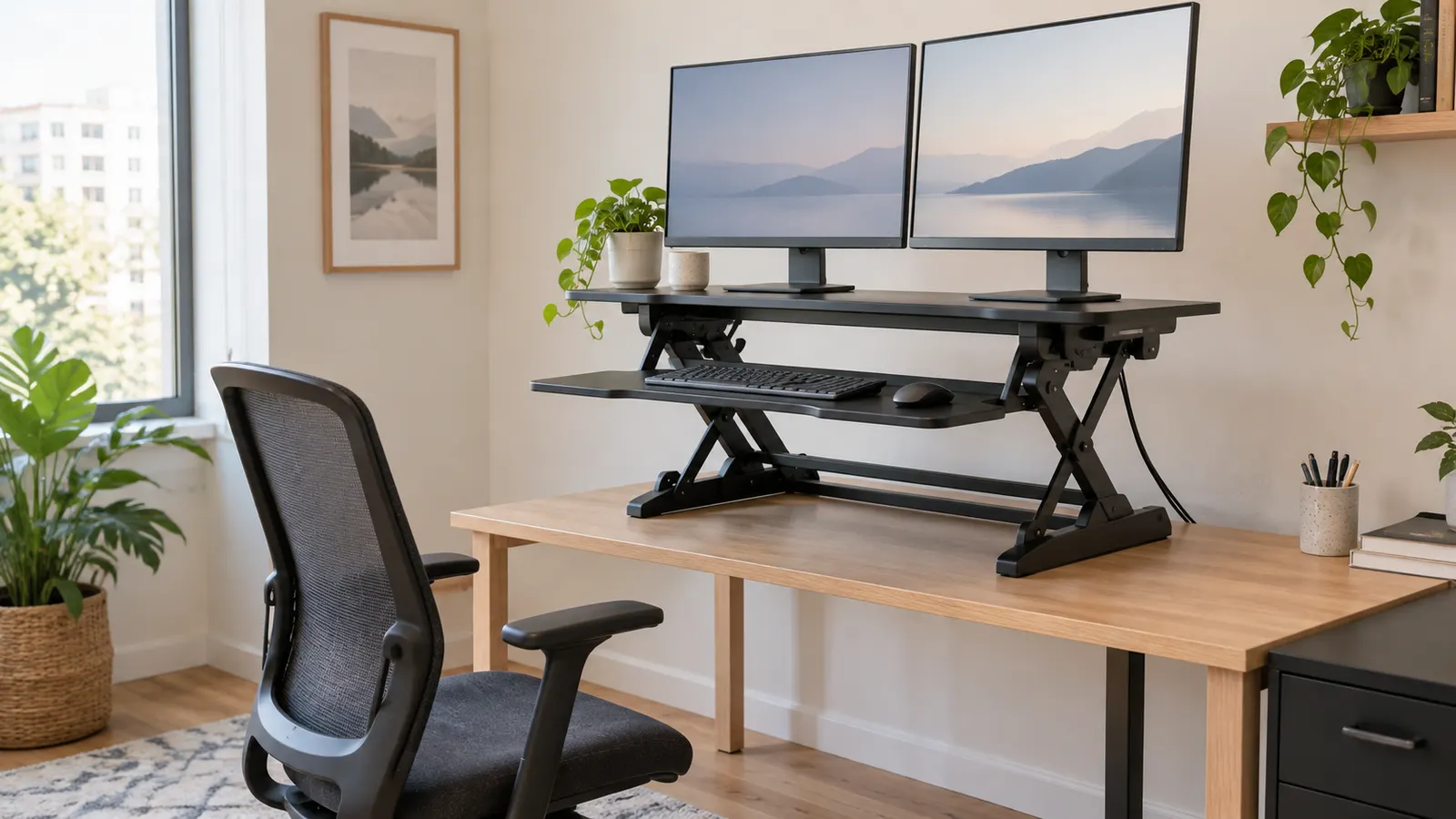
The original hero is a generated, generic editorial office scene. It is not a photograph of a MedHelperPro workspace and does not depict any named converter.
Sources and further reading
- OSHA: computer workstation purchasing guide and workstation evaluation checklist
- NIOSH: office environments and worker safety
- CCOHS: office ergonomics for sit-stand desks
- Vari: Pro Plus 36 specifications, price, returns, and warranty
- VIVO: K Series dual-monitor package and June 2026 assembly manual
- Ergotron: WorkFit-TL product sheet and converter and monitor-kit overview
- UPLIFT: E7 Electric specifications and current price and returns and warranty summary
- Humanscale: QuickStand Eco configurations, specifications, returns, and current price
- TechRadar: independently tested standing desk converters
- GearLab: side-by-side converter testing and selection method
- BTOD: independent Ergotron WorkFit-T stability review
Before you buy: Recheck the exact model, surface dimensions, unit weight, equipment load, lift path, mount compatibility, current price, stock, delivery, warranty, return deadline, original-packaging requirement, and fees. This guide is product research, not a hands-on stability or durability test.