Best Laptop Stands for Remote Work (2026)
Affiliate disclosure: As an Amazon Associate I earn from qualifying purchases. MedHelperPro may earn a commission from eligible purchases made through links in this guide, at no extra cost to you. Affiliate availability does not affect our selections. Read the full disclosure.
Research note: Product selections are based on published specifications, policies, and independent evidence unless a guide explicitly describes hands-on testing.
Choose the stand that fits where you work, then add a separate keyboard and mouse.
Native Union Desk Laptop Stand is the best permanent home-office pick because its weighted base and broad device limit favor stability. Rain Design iLevel is easier to adjust at a shared desk. Twelve South Curve Flex reaches higher and folds flat. Nexstand K2 is the value travel choice. Logitech Casa is the cleanest all-in-one setup.
DESK STAND
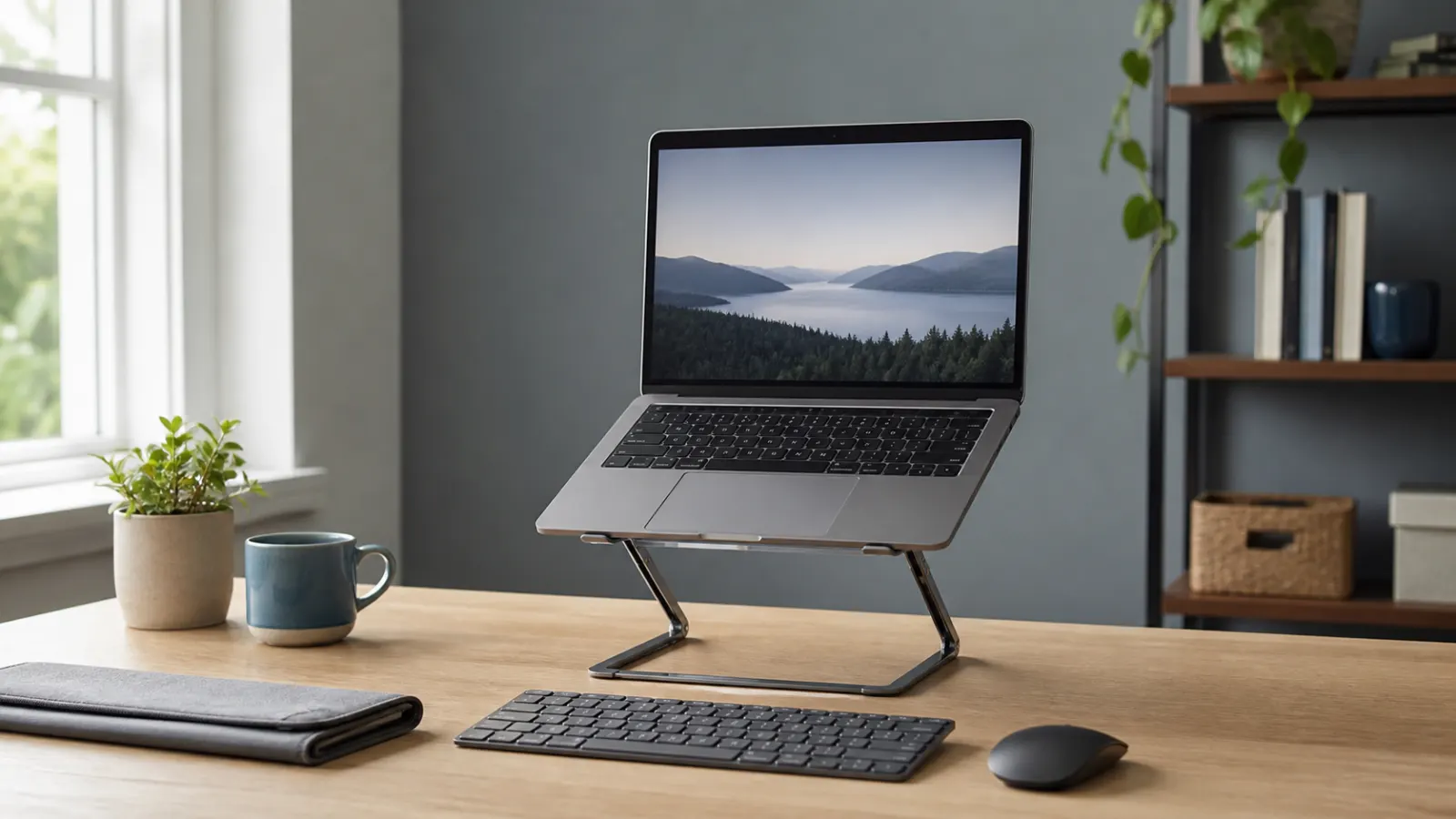
A laptop stand is most useful when it raises the screen while a separate keyboard and mouse stay near elbow height. NIOSH's work-from-home guidance says an external monitor is generally preferable, but separate input devices let a laptop display move independently. A stand alone cannot solve both screen height and keyboard position.
That makes the best stand a fit decision, not a style contest. Check the laptop's weight, front-edge thickness, vent location, desk depth, adjustment range, and the return policy before comparing finishes. If the rest of the room is still unsettled, begin with the ergonomic workspace buying order.
Which laptop stand should you buy?
| Pick | Height or adjustment | Weight and portability | Laptop fit | Ownership terms checked Aug. 4 | Best for |
|---|---|---|---|---|---|
| Native Union Desk Laptop StandCheck price on Amazon | Adjustable friction hinges; exact platform range is not clearly published | 38.2 oz; folds, but made for a home base | All laptops and tablets up to 11 lb | 2-year limited warranty; page shows conflicting 14-day and 30-day return badges | Most permanent home-office desks |
| Rain Design iLevelCheck price on Amazon | 5.4 to 7.9 in with front slider | 3.5 lb; bulky for commuting | Maker states all notebooks | 1-year warranty; 30-day direct return, with 15% fee for opened products | Shared desks and frequent height changes |
| Twelve South Curve FlexCheck price on Amazon | Up to 10.78 in stand height; 0 to 45 degree keyboard angle | 1.75 lb; 1.18 in thick when folded; sleeve included | At least 8.66 in wide and up to 7 lb | 1-year warranty and 30-day direct return | Higher screens and hybrid work |
| Nexstand K2 | Eight positions from 5.5 to 11.8 in | 0.52 lb; folds to 14 by 1.5 by 1.5 in | 10 to 17 in; front edge under 0.8 in; 20 lb limit | 1-year warranty and 30-day direct return | Budget travel and coworking |
| Logitech Casa Pop-Up Desk | Fixed-height case stand | Book-style case stores keyboard and touchpad | PC, Mac, and tablets; verify device size on the current page | 30-day direct return; warranty terms vary by SKU and region | Small homes without a dedicated desk |
Direct prices checked August 4, 2026: Native Union listed the Desk Laptop Stand at $79.99, Rain Design listed iLevel at $64.90, Twelve South listed Curve Flex at $79.99, Nexstand listed K2 at $37.35, and Logitech listed Casa Pop-Up Desk at $179.99. These are dated snapshots, not promises of current price or availability.
How were these laptop stands selected?
The shortlist separates permanent desk stands, portable frames, and a complete work kit. Published dimensions and ownership terms carried more weight than maker comfort or cooling language. Independent tests from WIRED and Pack Hacker were used as cross-checks, not converted into MedHelperPro scores.
- Usable screen height: The stand must move the display enough to matter without forcing the laptop beyond its safe weight or edge fit.
- Stability clues: Base weight, hinge design, contact area, stops, and grip material matter more than a dramatic maximum height.
- Packability: Stand weight, folded thickness, setup steps, and the need for a separate case determine whether a travel stand actually gets packed.
- Vent clearance: Open frames and hard surfaces can avoid blocking vents, but design alone does not prove a temperature reduction.
- Ownership: Return conditions, restocking fees, warranty length, replacement accessories, and unclear policy text affect the real trial cost.
Why is Native Union Desk Laptop Stand the best overall?
Native Union is the strongest general pick for a permanent desk because it combines an adjustable arm with a 38.2-ounce weighted base. The company lists an 11-pound device limit, nonslip silicone, a cushioned recycled-fabric support surface, and a small tray in the base.
The weight is the point. A permanent stand benefits from mass when the user taps a trackpad, adjusts the screen, or routes charging cables around it. WIRED made this model its April 2026 top pick after hands-on comparison, noting the weighted construction and hidden grip surfaces.
The policy page deserves a pause. The product page displays a 30-day return badge in one area and 14-day language in another, while advertising a two-year limited warranty. The exact platform-height range is also unclear even though the maker says the stand raises a device substantially. Best for: one reliable home-office position and laptops heavier than ultralight travel machines. Skip it if: the stand must go into a backpack or you need a clearly published height range before ordering.
Who should choose Rain Design iLevel?
Rain Design iLevel is the best fit for a shared desk because its front slider changes height from 5.4 to 7.9 inches without rebuilding the stand. That narrow range will not suit everyone, but it is easy to revisit when two people share a workstation. The 3.5-pound aluminum frame belongs on a desk, not in a commute bag.
Rain says the current model is the second-generation iLevel2 even though the product name appears as iLevel. The tilted platform stores a keyboard below and exposes much of the laptop's underside. Rain calls the aluminum a heat sink, but MedHelperPro has no measurements showing a laptop will run cooler.
Ownership terms are less generous once the product has been opened. Rain provides a one-year defect warranty and accepts direct returns within 30 days after shipment, but its policy applies a 15% restocking fee to opened or used products in resalable condition. Pack Hacker found the slider well built but considered the stand bulky and its lift modest. Best for: a stable shared desk and quick small adjustments. Skip it if: you need tall elevation, a travel stand, or a fee-free hands-on trial.
When is Twelve South Curve Flex worth the upgrade?
Curve Flex is the most adaptable portable metal stand here. Twelve South publishes a maximum stand height of 10.78 inches, a keyboard angle from 0 to 45 degrees, a folded thickness of 1.18 inches, and a weight of 1.75 pounds. The company says it fits laptops at least 8.66 inches wide and up to 7 pounds.
Two hinges allow finer positioning than notched travel stands. The included hex tool can tighten them later, and the neoprene sleeve protects other items in a bag. At 1.75 pounds, Curve Flex is portable but not ultralight. A high platform also makes an external keyboard and mouse necessary for sustained work.
Twelve South listed Curve Flex at $79.99 with a one-year defect warranty and a 30-day direct return. The product is marketed for MacBooks, but the published width and weight limits are more useful than the brand label. Best for: hybrid workers who align a laptop with an external monitor or need more height at changing desks. Skip it if: the laptop exceeds 7 pounds, the front edge cannot sit securely, or every pound in the bag matters.
Is Nexstand K2 the best value travel stand?
Nexstand K2 offers the clearest portability-to-adjustment tradeoff in this group. It weighs 0.52 pound, folds to a 14-inch bar, and provides eight positions from 5.5 to 11.8 inches. The maker lists support for 10- to 17-inch laptops up to 20 pounds, but the front edge must be thinner than 0.8 inch.
That edge limit matters more than the large capacity number. Thick rubber feet, a curved lower shell, a protective case, or ports near the front can prevent a secure fit even when the laptop is well under 20 pounds. The glass-fiber-reinforced nylon frame also uses fixed notches rather than friction hinges, so adjustments are repeatable but not continuous.
The direct price was $37.35 with a carrying sleeve, spacers for thin laptops, a one-year warranty, and a 30-day return policy. The product page describes an open ventilation design, but no temperature result is published there. Best for: commuters, students, and remote workers who value height range over metal construction. Skip it if: the laptop's front edge is thick, the device rocks between the hooks, or you want to adjust height while the computer stays on the stand.
Who gets the most value from Logitech Casa Pop-Up Desk?
Logitech Casa makes sense when the real problem is storing a complete setup. It packages a fixed-height case stand, compact Bluetooth keyboard, touchpad, and small storage space into one book-style unit. It can replace three separate purchases for someone who clears the dining table after work.
The fixed height is the main constraint. Pack Hacker's March 2026 testing found the setup comfortable for a 5-foot-6 tester but too low for a 6-foot-1 tester. WIRED also treated Casa as a compact all-in-one option rather than the best standalone stand. Those observations are more useful than Logitech's comfort marketing because they show that one fixed angle cannot fit everyone.
Casa connects to PC, Mac, and tablets, while full touch gestures depend on the supported operating system. Logitech advertises a 30-day money-back guarantee for direct US purchases. Check the exact SKU's warranty and platform support before ordering because regional pages differ. Best for: small homes, hot desks, and buyers who need input devices too. Skip it if: you already own a keyboard and mouse, want a real mouse instead of a touchpad, or need height adjustment.
How high should a laptop stand be?
The useful height is the one that lets the user look at the main work area without repeatedly dropping the head while the keyboard remains near elbow level. NIOSH suggests placing a separate monitor about an arm's length away with its top at or below eye level. OSHA notes that laptop workstations create special challenges because the screen and keyboard are joined.
Do not turn those points into one universal number. Screen size, chair height, vision correction, task, and the user's proportions change the useful position. Start low, relax the shoulders, and enlarge text before leaning closer. A high stand plus the built-in keyboard is usually a poor long-session setup because the keys rise with the display.
Does an open laptop stand improve cooling?
An open stand can keep bottom vents clear, but it does not guarantee lower surface or component temperatures. Laptop cooling depends on vent placement, fan behavior, workload, ambient temperature, power mode, and the stand's contact points. Apple tells MacBook Air users to use a stable surface with adequate air circulation. Dell similarly advises keeping bottom and side vents unobstructed on a hard surface.
A stand should not cover an intake, press on a fragile vent grille, or fight the computer's intended airflow. Passive stands have no fan noise or power cable, but they are not cooling pads. If a laptop overheats on a hard, ventilated surface, use the maker's troubleshooting process instead of treating a stand as a repair.
What should you measure before buying?
Measure the computer and the workspace together. A stand can fit the laptop yet fail at the desk because the keyboard has nowhere to go, the webcam sits too high, or a charging port runs into a support arm. Keep the purchase simple by checking these points first:
- Record the laptop's width, weight, front-edge thickness, rubber-foot position, and bottom or side vent locations.
- Measure usable desk depth with a separate keyboard placed where the elbows can stay close to the body.
- Mark the desired screen position with books before paying for a stand's advertised maximum height.
- Check whether the support lips touch the palm rest, trackpad area, speakers, ports, or a protective case.
- Read the seller's return conditions, including restocking fees and who pays return shipping after opening.
If the laptop works beside an external display, compare screen alignment and reach in the dual-monitor arm guide. Pair the stand with input devices from the ergonomic keyboard and mouse comparison. For frequent position changes, make sure the setup still works at both heights before choosing from the standing desk guide.
Who should skip a laptop stand?
Skip the purchase if a separate monitor already places the main screen well, the laptop stays closed in a dock, or a sturdy box raises the display safely without blocking vents. Also skip it if the budget does not include a separate keyboard and pointing device. The accessory is not useful when it simply trades a low screen for raised wrists.
A laptop stand also will not diagnose or treat neck, shoulder, wrist, or back pain. It can change equipment position. Persistent, worsening, or injury-related symptoms need qualified assessment, not a taller piece of desk hardware. The posture support guide explains why workstation problems should be corrected before adding body-worn reminders.
Limitations of this researched guide
MedHelperPro did not receive samples, verify hinge drift, load the stands, measure wobble, inspect laptop contact points, or record device temperatures. The calendar proposed taking laptop surface-temperature readings on a stand and flat on a desk. That test was omitted because the repository contains no stands, test laptop, workload script, ambient-condition log, thermal camera or calibrated sensors, repeated measurements, photos, or dated methodology.
Specifications, direct price snapshots, warranties, and return terms were checked on August 4, 2026 and can change by color, seller, SKU, and region. Manufacturer ventilation and comfort statements are identified as maker claims. Independent sources are cited separately. No product score, health benefit, cooling result, or hands-on experience is implied.
Frequently asked questions
Do you need an external keyboard with a laptop stand?
Yes, for most sustained work at a useful screen height. Raising the laptop also raises and tilts its keyboard. A separate keyboard and mouse can remain near elbow height while the display moves independently. A low wedge may still allow short use of the built-in keyboard, but it offers less screen-height improvement.
Is an adjustable stand always better than a fixed stand?
No. Adjustment helps at shared desks and changing work locations, but every hinge or notch adds setup and a possible wear point. A fixed stand can be lighter or more stable when its height already fits. Test the target height with books first, then decide how much adjustment you actually need.
Can a laptop stand stop a computer from overheating?
No stand can promise that. An open design may avoid obstructing bottom vents, but temperature depends on the device, workload, room, and cooling system. Follow the laptop maker's ventilation guidance. Ongoing overheating, shutdowns, or abnormal fan behavior call for approved troubleshooting or service.
What is the best laptop stand for travel?
Nexstand K2 is the value choice here because it weighs 0.52 pound and offers eight height positions. Twelve South Curve Flex is heavier but provides finer angle control and metal construction. Confirm front-edge fit and pack the separate keyboard and mouse before treating either stand as a complete travel setup.
Sources checked August 4, 2026
- NIOSH work-from-home workstation guidance
- OSHA computer workstation components guidance
- Apple MacBook Air ventilation and safety guidance
- Dell laptop ventilation and fan troubleshooting guidance
- Native Union Desk Laptop Stand product page
- Rain Design iLevel product page and specifications
- Rain Design return and warranty policies
- Twelve South Curve Flex product page, specifications, returns, and warranty
- Twelve South detailed warranty policy
- Nexstand K2 product page, specifications, returns, and warranty
- Logitech Casa Pop-Up Desk product page
- Logitech Casa North America product announcement and compatibility details
- WIRED 2026 laptop stand comparison
- Pack Hacker 2026 laptop stand testing and buying guide
Before you buy: Measure laptop width, weight, front-edge thickness, vent locations, desk depth, keyboard space, and desired screen height. Confirm the current price, device limit, return condition, restocking fee, warranty, and regional SKU on the seller's site. Keep the packaging until normal work confirms a secure fit.