Gaming Chair vs. Office Chair for Long Workdays (2026)
Affiliate disclosure: As an Amazon Associate I earn from qualifying purchases. MedHelperPro may earn a commission from eligible purchases made through links in this guide, at no extra cost to you. Affiliate availability does not affect our selections. Read the full disclosure.
Research note: Product selections are based on published specifications, policies, and independent evidence unless a guide explicitly describes hands-on testing.
Choose an office chair for work unless a specific gaming chair fits you better.
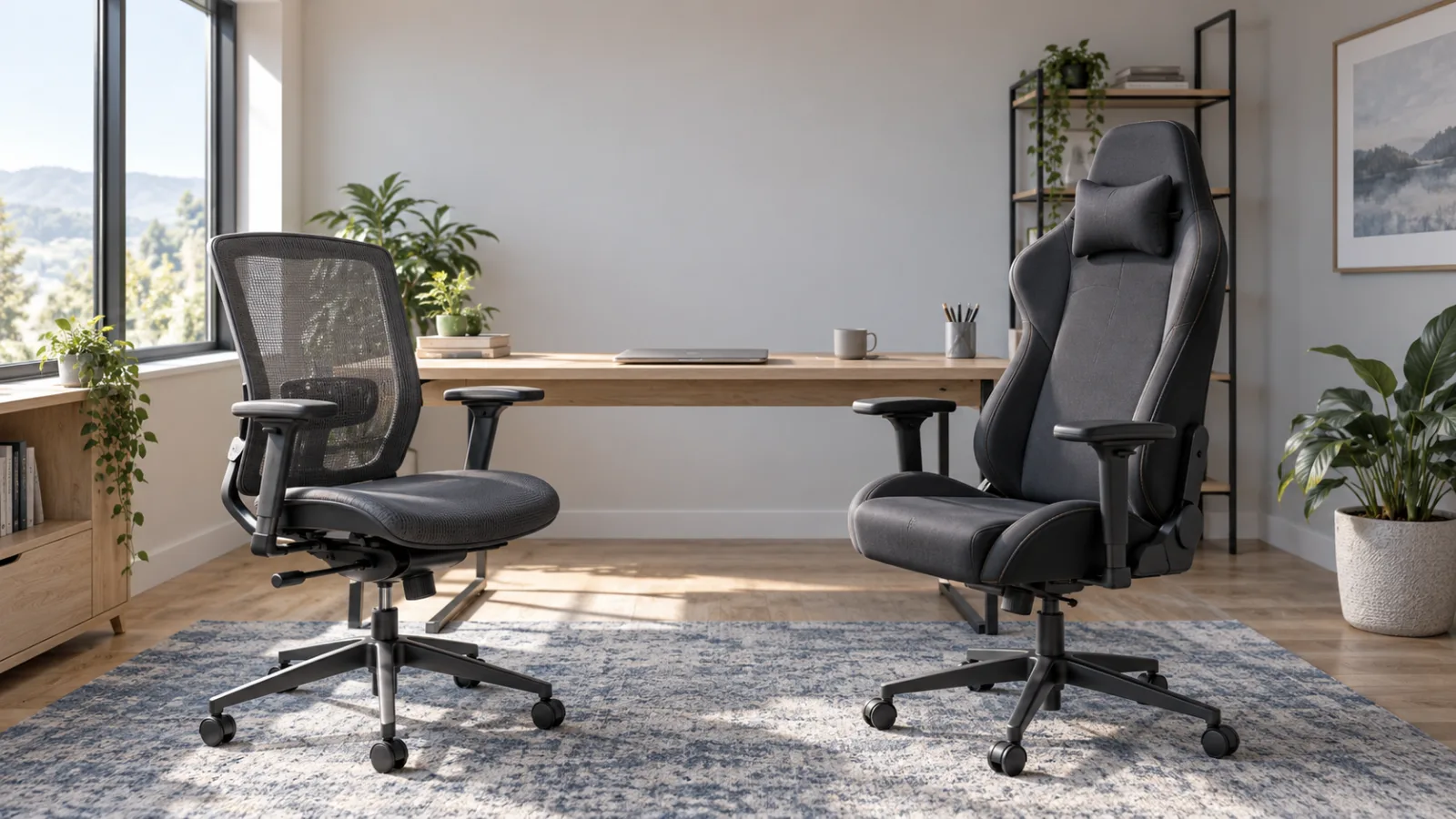
An office chair is usually the safer default for an eight-hour desk schedule because work-focused models more often offer adjustable seat depth, arms that clear the desk, breathable backs, and warranties written for task seating. A gaming chair can still be a sensible work chair when its size chart fits, the side bolsters do not restrict movement, its upholstery suits the room, and you value a tall back and deep recline.
CHAIR
The label on the box is not the decision. Compare the exact chair's usable seat dimensions, height range, arm clearance, back support, recline, materials, return costs, and warranty. Some gaming chairs now have strong adjustment packages, while some cheap office chairs have little beyond seat height.
CCOHS says a chair becomes ergonomic only when it suits the worker's dimensions, workstation, and tasks. OSHA similarly emphasizes back support, seat fit, relaxed arm position, stable foot support, and the ability to vary posture. Neither source declares one chair style universally superior.
Gaming chair vs. office chair: the practical differences
| Decision point | Office chair tendency | Gaming chair tendency | What matters for work |
|---|---|---|---|
| Seat shape | Flatter, open seat pan | Sculpted seat; some have raised side bolsters | You need room to shift without hard edges pressing the thighs |
| Seat depth | Adjustment is common on better task chairs | Often fixed by size, though designs vary | Your back should meet the backrest with space behind the knees |
| Back and recline | Synchro tilt favors upright task changes | Tall back and deep recline are common | Pick a mechanism you will actually move through, not lock all day |
| Lumbar support | Built into the back, sometimes height or firmness adjustable | Built in on newer models or supplied as a pillow | The support should meet your lower back without forcing an arch |
| Armrests | Often designed to lower or move away from a desk | Wide adjustment is available on better models | Arms should support relaxed shoulders and still clear the work surface |
| Materials | Mesh backs and fabric seats are common | Foam with fabric or coated upholstery is common | Breathability, cleaning, friction, and room temperature matter over time |
| Appearance | Low-profile and workplace oriented | Taller, more sculpted, more visible on video calls | Style matters only after fit and desk compatibility work |
These are category tendencies, not rules. Judge a named model against another named model. Tom's Guide reached a similar practical conclusion: office chairs usually suit upright work, while gaming models often prioritize a high back and deeper recline. That is an independent editorial judgment, not a universal fit result.
Four current chairs that show the real tradeoffs
| Chair | Category | Published fit and controls | Price and ownership checked October 8, 2026 | Who should skip it |
|---|---|---|---|---|
| HON Ignition 2.0, MPN HONI2M2AMLC10TK | Office | Seat glide, height and width adjustable arms, adjustable lumbar, advanced synchro tilt; 300 lb family rating | Retailer price varies; HON warranty terms vary by component | Anyone who cannot confirm the full model code and included controls |
| Branch Ergonomic Chair Pro | Office | 14 listed adjustments, 5D arms, two-way lumbar, seat depth and forward tilt; 275 lb | $499 direct; seven-year warranty; 30-day returns less current chair return shipping | Buyers above the limit or outside the listed cylinder and height fit |
| Secretlab TITAN Evo | Gaming | Three sizes, integrated lumbar, 4D arms, magnetic head pillow, recline to 165 degrees; seat depth fixed by size | From $579 direct; three-year warranty, extendable to five under stated terms; up to 49-day returns with fees | Anyone who dislikes a firm sculpted seat, warm upholstery, or costly return logistics |
| Steelcase Amia | Office | 15.5 to 18.5 in seat depth, 16 to 21 in height, 19.25 in width, flexible front edge; 400 lb | From $1,099 direct; 12-year warranty under stated terms | Budget buyers or anyone who wants a mesh seat and tall headrest |
Prices, configurations, stock, promotions, and policies can change. The examples are not a ranking of every chair in either category. They show why an actual specification sheet is more useful than a silhouette.
HON Ignition 2.0: the value office-chair reference
HON's functionality guide documents the controls that make Ignition 2.0 useful for comparison: seat glide, adjustable lumbar, arm width and height, tilt tension, and multiple tilt-lock positions. It also warns that an individual chair may not include every feature. The verified Amazon listing is black with the Black Frame - Advanced Tilt style, ASIN B06Y3PGPR2, Amazon model number HONI2MM2AMC10BT, and manufacturer part HONI2M2AMLC10TK. Match those identifiers before ordering.
Check the verified HON Ignition 2.0 model on Amazon
Best for: a value-minded buyer who wants a task-chair mechanism and will verify the exact controls. Skip it if: the seller hides the model code, you cannot confirm the seat glide, or you need a simple direct-store return process.
Branch Ergonomic Chair Pro: the clearest midrange work option
Branch lists seat height and depth, tilt and tension, forward tilt, 5D arms, and two-way lumbar among 14 adjustment points. That combination makes it easier to tune around a desk than a chair with a fixed seat and arms that only move vertically. The standard or optional tall cylinder matters, so use Branch's height guidance rather than assuming one version fits everyone.
The breathable mesh option has a practical advantage in a warm room, but Branch also sells warmer upholstery choices. Its $499 price places it below many premium task chairs and below the TITAN Evo's current starting price. Branch's return policy currently allows 30 days but deducts chair return shipping, so keep the box and confirm the current fee before assembly.
Best for: someone who divides the day among typing, calls, and focused desk work and wants many controls near $500. Skip it if: you exceed 275 pounds, cannot use its published height range, or prefer a deep lounge recline.
Secretlab TITAN Evo: when a gaming chair is actually reasonable
Secretlab's current TITAN Evo is not just a fixed racing shell. It has integrated lumbar adjustment, multi-direction arms, a magnetic head pillow, and three sizes. The technical sheet lists usable seat widths of 17.7, 18.5, and 19.3 inches and depths of 18.9, 19.3, and 19.7 inches for Small, Regular, and XL. Those fixed depths make careful sizing especially important for shorter legs.
The tall back and recline to 165 degrees make sense if the same chair is used for work, controller gaming, and media. The tradeoff is that deep recline does not help if the keyboard remains far forward on the desk. Coated upholstery can also feel warmer than mesh, while Secretlab's SoftWeave fabric changes that material tradeoff without changing the basic seat dimensions.
Secretlab states a three-year warranty that can be extended to five years under its program terms, which include a public social post. Its direct return window is up to 49 days, but return and disassembly costs can apply. Read those terms before treating the trial as risk free.
Best for: a buyer whose body measurements match one size and who values the high back, head support, and deep recline outside work hours. Skip it if: you need adjustable seat depth, dislike a firmer sculpted seat, sit in a hot room, or cannot manage an expensive return.
Steelcase Amia: the premium task-chair reference
Steelcase Amia shows what the premium office-chair budget buys: a three-inch seat-depth range, a flexible front edge, four-dimensional arms, a broad height range, and a 12-year warranty under the stated terms. Its back is lower and less lounge-oriented than the TITAN Evo, but the seat is easier to fit to different thigh lengths.
Best for: a buyer willing to pay for task-focused fit tuning and long warranty coverage. Skip it if: the $1,099 starting price is too high, you need a tall headrest, or a mesh seat is essential.
Which chair should you buy by budget and use?
Under $300: prioritize fit and returnability
Do not buy the tallest chair or the one with the longest feature list. At this budget, a simpler office chair with a flat seat, usable height range, acceptable arm clearance, and a realistic return path often beats a low-cost gaming chair built around fixed dimensions and decorative bolsters. The under-$200 office-chair guide separates real adjustments from vague marketing.
A used premium task chair can be another route, but inspect the cylinder, recline, arm pads, casters, seat, and model label. A private-sale bargain with no returns is a poor experiment when fit is uncertain.
$300 to $700: compare complete chairs, not categories
This is the most competitive range. Branch Ergonomic Chair Pro at $499 is the stronger work-first choice because it combines adjustable depth, forward tilt, movable arms, and breathable material. Secretlab TITAN Evo from $579 makes more sense for a work-and-gaming room when its size fits and the deep recline will be used. HON Ignition 2.0 can be a value option if the full model code confirms the control package.
Above $1,000: pay for fit range and service
Premium money should buy more than upholstery. Look for a meaningful seat-depth range, arms that move inward and out of the way, a recline mechanism that follows you, parts availability, and a long written warranty. Amia is one example. The broader office-chair comparison covers other premium task-chair mechanisms without promising pain relief.
Compatibility checks before you order
- Measure your leg fit: Compare floor-to-knee height with the seat-height range. Estimate the seat depth that leaves a small gap behind the knees while your back remains supported. See the dedicated guides for shorter users and taller users.
- Measure the desk: Record underside clearance, keyboard height, and the distance from the front edge to the work area. Armrests that hit the desk can force a forward reach.
- Check usable width: Published overall width is not seat width. Note any rigid bolsters, arm supports, or frame pieces that reduce space.
- Choose upholstery for the room: Mesh backs vent well. Fabric can be cooler and less slippery than coated material. Coated surfaces wipe clean easily but may trap more heat.
- Match casters to the floor: CCOHS recommends casters suitable for the flooring. Add a mat only when it will not create a rolling edge or trip point.
- Read the return policy before assembly: Look for original-packaging rules, restocking or shipping fees, and whether a chair must be disassembled. A long window is not generous if the return is impractical.
The chair is only one part of the setup. The complete ergonomic workspace guide shows how chair height, desk height, monitor position, and input reach affect one another. If lowering the chair fixes foot support but makes the keyboard too high, a properly sized footrest may be the smaller correction.
How to test a chair during the return window
Start with the work surface, not the backrest. Set the seat so the feet are stable and the keyboard can be used with relaxed shoulders. Adjust depth so the back reaches the support without the seat edge pressing behind the knees. Bring the arms close enough to support the forearms without pushing the shoulders upward.
Then use the chair for the tasks that fill a real day: focused typing, calls, reading, and short reclined breaks. Change posture periodically. NIOSH notes that holding even a neutral position for a long time can contribute to fatigue, so no chair should be treated as permission to stay still.
Keep notes on specific conflicts rather than a vague comfort score. Does the front edge contact the legs? Do the arms block the desk? Does lumbar pressure remain acceptable after adjustment? Does the upholstery feel too warm? Can you operate the controls while seated? Return the chair if normal work requires constant compensation.
Limitations and health context
MedHelperPro did not receive or assemble these chairs, record eight-hour sessions, measure pressure or temperature, or test long-term foam wear. The calendar proposed a genuine eight-hour comparison, but no documented sample log exists, so this article does not claim one. Specifications, prices, policies, and independent reviews were checked on October 8, 2026.
This is buying guidance, not medical advice. A chair cannot diagnose or treat back, hip, neck, or leg symptoms. A systematic review of chair interventions found very low- to low-quality, conflicting evidence for reducing pain or discomfort. Persistent or worsening symptoms deserve advice from a qualified clinician, not a more expensive chair.
Frequently asked questions
Are office chairs always better than gaming chairs?
No. Office chairs are the better default for task work because many offer open seats, depth adjustment, desk-friendly arms, and breathable backs. A well-sized gaming chair can be better for someone who values a tall back and deep recline and has verified its fixed dimensions.
Can you use a gaming chair for eight hours of work?
You can if the exact chair fits your legs, hips, back, desk, and room temperature, and if you change position during the day. The eight-hour label is not proof. Use the return window to check normal work tasks and stop using any setup that causes persistent discomfort.
Is mesh better than foam for a long workday?
Neither material wins for everyone. Mesh can vent heat and distribute support without thick padding. Foam can feel more familiar but varies widely in firmness and durability. Shape, tension, seat-edge design, and personal preference matter as much as the material name.
Do gaming-chair side bolsters improve support?
Not necessarily. Bolsters can provide a contained feel, but rigid or narrow ones can reduce usable seat width and restrict posture changes. Measure the flat area between the bolsters instead of relying on the chair's overall width.
Sources
- OSHA: Computer workstation chair guidance and purchasing guide
- CCOHS: Selecting an ergonomic chair
- BIFMA: Office-chair standards descriptions
- NIOSH: Ergonomic risk factors
- Systematic review: Chair interventions in office workers
- HON: Ignition 2.0 functionality guide and warranty
- Branch: Ergonomic Chair Pro, returns, and warranty
- Secretlab: TITAN Evo, technical specifications, warranty, and returns
- Steelcase: Amia product page and brochure
- Tom's Guide: Office chair vs. gaming chair comparison
Before you buy: Recheck the exact model code, usable seat width and depth, height range, capacity, desk clearance, upholstery, seller, current price, return costs, and warranty. The category name cannot replace a real fit check.