Best Desk Mats: 5 Researched Picks (2026)
Affiliate disclosure: As an Amazon Associate I earn from qualifying purchases. MedHelperPro may earn a commission from eligible purchases made through links in this guide, at no extra cost to you. Affiliate availability does not affect our selections. Read the full disclosure.
Research note: Product selections are based on published specifications, policies, and independent evidence unless a guide explicitly describes hands-on testing.
Choose the surface before the brand.
Logitech Desk Mat Studio Series is the practical all-rounder for a keyboard and mouse. Corsair MM350 Pro Extended XL gives gamers a much larger, thicker stitched cloth surface. Orbitkey Desk Mat adds document storage and a magnetic cable holder. Oakywood Felt and Cork suits buyers who want wool texture, while Leatherology Modern Desk Pad is the genuine-leather choice. Size and cleaning tolerance matter more than decorative color.
FIRST
A desk mat changes mouse glide, keyboard grip, and spill cleanup. Coated surfaces wipe easily. Felt is softer but dislikes liquid. Rubber-backed cloth grips well, though exposed cloth can fray.
Measure the usable desktop before picking a material. A mat that runs under a monitor stand or over a rounded edge can buckle, while one that is too shallow leaves the wrist or mouse outside the working area. The five choices below cover distinct uses instead of pretending one surface fits every desk.
Which desk mat should you buy?
| Desk mat | Best use | Material and size | Edge and cleaning | Price and ownership checked Sept. 9 |
|---|---|---|---|---|
| Logitech Desk Mat Studio SeriesCheck price on Amazon | Best overall for office use | Recycled-polyester surface and inner layer; natural-rubber base; 27.6 by 11.8 by 0.08 in | Flat anti-fraying stitches; wipe a spill promptly with a damp cloth | $22.99; 30-day direct return; 2-year limited hardware warranty |
| Corsair MM350 Pro Extended XLCheck price on Amazon | Best large gaming surface | Micro-weave cloth and natural-rubber base; 36.6 by 15.7 by 0.16 in | Stitched around all sides; spill-proof and stain-resistant claims | $29.99 sale, $39.99 regular; 60-day direct return; 2-year warranty |
| Orbitkey Desk Mat | Best built-in organization | Vegan leather and recycled-PET felt; large is 35.3 by 16.7 by 0.19 in | Unstitched rolled edge; wipeable water-resistant top | $99.90 for the selected large size; 30-day money-back window; 2-year warranty |
| Oakywood Felt and Cork Desk Mat | Best natural wool feel | Merino-wool felt and cork; 3 sizes from 24.4 by 11.8 to 39.4 by 15.7 in | Cut felt edge; spot clean with minimal moisture | From $61 sale, normally from $87; 30-day returns; warranty language conflicts |
| Leatherology Modern Desk Pad | Best genuine leather | Italian leather with microsuede lining; 25.9 by 18.3 in | Cut leather edge; spot clean with a damp cloth | $140; unused nonpersonalized returns within 30 days; 1-year limited warranty |
Price note: Direct US prices, stock, and policies were checked September 9, 2026. Promotions, colors, shipping, taxes, and seller terms can change. The currently discounted Satechi Eco-Leather Deskmate was excluded because every color on its direct product page was sold out during research.
How were these desk mats selected?
The shortlist starts with material, usable dimensions, backing, edge construction, and care. Current stock, warranty, and return friction then separate lookalike products. Each pick also had to serve a distinct buyer.
- Surface fit: Mouse control, writing feel, spill handling, and skin contact depend on the top layer.
- Physical fit: Dimensions, monitor feet, cable openings, and rounded edges decide whether a mat lies flat.
- Durability signals: Stitched cloth edges can limit edge fraying. Material-specific care and a credible warranty matter more than a vague "premium" label.
- Ownership: A return window only helps when its condition permits a useful evaluation.
Good Housekeeping's independent category guide also treats material, surface area, grip, and extra features as core selection factors. Its older rankings were not imported here. Current product facts come from maker pages, with an independent Orbitkey review used only as a practical cross-check.
What is the best desk mat material?
Rubber-backed cloth is a safe starting point for a mouse-heavy desk. It grips and provides consistent travel, but can catch lint and show edge wear. Natural rubber can also matter to someone with latex sensitivity; Logitech and Corsair identify it in their products.
Coated synthetic leather is smooth, low-friction, and easy to wipe. It is not animal hide. The US Federal Trade Commission's Leather Guides emphasize disclosing non-leather content when a material appears to be leather. Read the composition line instead of treating "vegan leather" as a performance grade.
Wool felt is warm and quiet, but may pill, hold spills, or feel scratchy. Genuine leather develops wear rather than staying uniform. A coating can resist minor splashes, but standing liquid, heat, and tight rolling may still cause damage.
Why is Logitech Desk Mat Studio Series the best overall?
Logitech keeps the tradeoffs modest. The mat is 700 by 300 by 2 millimeters, or about 27.6 by 11.8 by 0.08 inches, so it fits a compact keyboard and mouse without taking over a shallow desk. The manufacturer's detailed specifications list recycled polyester in the surface and inner layer, a base containing 72 percent natural rubber, and flat nylon-and-polyester anti-fraying stitches.
The maker calls the surface spill-resistant and says to wipe spills promptly with a damp cloth. That is not permission to soak or machine-wash it. Flat stitches may feel less prominent than a tall bound edge, but this guide did not test them.
The direct price is $22.99, with free returns within 30 days and a two-year limited hardware warranty. Logitech also warns that products containing natural rubber latex may cause allergic reactions. Best for: a compact office setup that needs a low-cost, grippy keyboard-and-mouse zone. Skip it if: you need more than 11.8 inches of depth, avoid natural rubber, or want a hard writing surface.
Is Corsair MM350 Pro Extended XL better for gaming?
Corsair's mat is considerably larger and thicker at 930 by 400 by 4 millimeters, or about 36.6 by 15.7 by 0.16 inches. It weighs 0.956 kilograms. That footprint gives a low-sensitivity mouse more runway while leaving room for a full keyboard. The top is micro-weave cloth and the bottom is natural rubber.
The manufacturer claims a spill-proof, stain-resistant coating and a fully stitched anti-fray edge. That stitching addresses cloth separation at the perimeter, not wear in the center, base, or coating. Corsair publishes no abrasion-cycle result on the page.
The black model was in stock at $29.99, down from $39.99, while two alternate colors were unavailable. Corsair's current policies provide a 60-day direct return window and a two-year gaming-mat warranty. Best for: a large gaming desk and broad mouse movement. Skip it if: the desk is shallow, you dislike a raised sewn edge, or natural rubber is unsuitable.
Is the Orbitkey Desk Mat worth $99.90?
Orbitkey earns a place for organization rather than raw surface value. A document layer hides loose notes, the magnetic holder parks a cable near the working area, and a raised toolbar provides a home for small items. The large mat selected on the US page measures 896 by 423 by 4.9 millimeters, or about 35.3 by 16.7 by 0.19 inches. A smaller medium size is also offered.
The vegan-leather top sits over recycled PET felt rather than a high-grip rubber base. In a July 2026 independent review, The Modest Man found the medium too wide for its desk and noted the bottom was not especially grippy, although it did not slide. Results may differ by desk finish.
The direct page lists $99.90, a two-year warranty, and a 30-day money-back guarantee. Orbitkey's US return instructions require unused, undamaged, resalable goods in original packaging and say $9.90 is deducted for its prepaid label. Best for: someone who will use the paper hideaway, toolbar, and cable holder. Skip it if: you only need a mouse surface or cannot judge the size without using the mat.
Who should choose the Oakywood Felt and Cork Desk Mat?
Oakywood pairs 100 percent Merino-wool felt with a thin Portuguese-cork backing. Medium, large, and extra-large versions run from 62 by 30 centimeters to 100 by 40 centimeters. Total thickness is 3 millimeters, including a 0.8-millimeter cork layer. The manufacturer says the German wool felt carries OEKO-TEX Standard 100 certification.
OEKO-TEX explains that Standard 100 applies to textiles tested for harmful substances. That does not turn the claim into a durability score or certify every component of this finished desk mat. Oakywood warns that wool can pill, feel scratchy to sensitive skin, and perform less precisely than a dedicated mouse pad for fast gaming or detailed design work. It recommends spot cleaning with minimal moisture and says the mat is not waterproof.
The current sale starts at $61, normally $87. The page presents conflicting warranty terms: global store messaging says five years, while the product-specific technical section says two years and lists several exclusions. Obtain written confirmation before ordering. The return window is 30 days, and custom products cannot be returned. Best for: a dry desk where wool texture and a natural-looking surface are the point. Skip it if: spills, wool sensitivity, pilling, or fast mouse tracking are concerns.
Is Leatherology Modern Desk Pad the best leather option?
Leatherology is the only genuine-leather pick here. The Modern Desk Pad uses Italian leather over a microsuede lining and measures 25.9 by 18.3 inches. Its unusual depth provides room for writing below a keyboard, but the width is narrower than the other large picks.
The maker describes the light coating as scratch- and water-resistant, not proof against either. Spot clean with a damp cloth, store flat, and roll only for carrying. Leatherology specifically rules out its own leather cleaner and conditioner for this material.
The direct price is $140. The one-year limited warranty covers defects but excludes normal wear. The 30-day return policy requires nonpersonalized items to be brand-new and unused with original packaging; personalized and final-sale items cannot be returned. Best for: a buyer who specifically wants real leather and accepts patina. Skip it if: you need a low-risk use trial, stitched edges, or easy replacement at a budget price.
Do stitched edges make a desk mat last longer?
Stitching is a targeted solution to a specific failure: the cloth layer lifting or fraying at the perimeter. Logitech uses flat anti-fraying stitches, and Corsair stitches the entire edge. That makes both more defensible choices when a forearm repeatedly crosses the same side.
It is not a blanket durability guarantee. Thread can loosen, a tall seam can irritate the wrist, and stitching does nothing to stop a worn mouse zone, a degraded coating, a cracked rubber base, felt pilling, or a curled leather corner. No comparable abrasion, seam-cycle, or two-week wear data were published across all five products.
How should you clean a desk mat?
- Coated cloth: Blot or wipe a fresh spill promptly. Use only the maker's approved method. A spill-resistant claim does not automatically permit machine washing.
- Synthetic leather: Wipe gently and avoid allowing moisture to enter a layered edge. Check the product instructions before using soap, alcohol, or disinfectant.
- Wool felt: Remove dry debris carefully and spot clean with minimal moisture. Do not soak a non-waterproof wool-and-cork mat.
- Genuine leather: Follow the exact finish instructions. For this Leatherology pad, use a damp cloth and skip cleaner or conditioner.
Test any permitted cleaner in a hidden corner first. Lift the mat and dry both sides after a spill so trapped moisture does not sit against the desk finish. A valuable lacquered, oiled, or heat-sensitive desk also deserves its own maker's care guidance.
What size desk mat do you need?
Measure the flat rectangle after accounting for monitor feet, stands, controls, grommets, and the wall. Leave space at every edge; do not bridge a desk radius or overhang the front.
Place the keyboard where the shoulders relax and trace the mouse's real travel. A 12-inch depth suits a compact input area; 16 to 18 inches makes room for forearms, writing, or broad mouse movement.
A mat does not correct keyboard reach or desk height. The ergonomic keyboards and mice guide covers hand fit and input-device tradeoffs, while the standing desk guide explains height and equipment fit. A desktop mat is not a floor mat, so compare anti-fatigue standing mats separately. If the room is tight, start with the measured layout in the small-room desk setup guide.
Buyer's checklist before ordering
- Measure the clear surface. Include monitor feet, cable holes, lamps, chargers, and rounded edges.
- Choose the material. Decide whether mouse feel, easy wiping, soft wool, or real leather matters most.
- Check every layer. Read the top, inner layer, backing, coating, edge, and latex disclosure.
- Plan for spills. Compare the exact cleaning instruction with what normally happens at the desk.
- Inspect the return rule. "30 days" may still mean unused, unpersonalized, boxed, and subject to a label fee.
- Save the product page. Record the selected size, color, price, warranty, and care language at checkout.
- Audit wear honestly. Photograph the edges and main mouse zone on day one, then inspect the same places weekly.
If cables are the real source of clutter, a larger surface will only hide part of the problem. The desk cable management guide separates trays, sleeves, and clips by the job each can safely do. The ergonomic workspace guide helps prioritize the desk, chair, screen, and input devices before decorative accessories.
Frequently asked questions
Is a leather or felt desk mat better?
Choose coated leather or synthetic leather when quick wiping and a firm writing surface matter. Choose felt for a warmer, softer surface when drinks are kept away. Genuine leather can develop patina; wool felt can pill. Neither is universally more durable without comparable use data.
Can you use a desk mat as a mouse pad?
Usually, if the maker describes it for mouse use and the sensor tracks consistently on the surface. Cloth gaming mats are designed around that job. Wool texture and some smooth leather finishes may feel less precise, so keep a return-policy-compliant way to assess fit or add a dedicated mouse pad.
How thick should a desk mat be?
Two to three millimeters keeps the edge relatively low and suits most office setups. A four- to five-millimeter mat adds cushioning and can smooth small desk irregularities, but its edge is more noticeable. Check whether the thickness changes keyboard feet, wrist position, or monitor clearance.
Do desk mats protect wood desks?
They can reduce direct scratches and small spills in the covered area, but they can also trap grit or moisture. Clean beneath the mat, dry both surfaces after spills, and confirm that rubber, cork, dyes, coatings, or leather will not react with the desk finish.
Research and testing limitations
MedHelperPro did not physically use these products. No mouse-tracking, spill, stain, seam, pilling, curl, scratch, heat, desk-finish, odor, cleaning, or long-term wear measurements were performed. First-party specifications, prices, stock, and policies were checked September 9, 2026. Independent observations remain attributed to the publication that made them.
The editorial calendar proposed testing wear after two weeks of rolling a chair across each mat. These are desktop mats, not floor or chair mats. Chair-wheel traffic is outside the described use and could damage the product while producing irrelevant evidence. The repository also contains no samples, dated logs, before-and-after photos, or measurements. Publishing such a result would invent testing. A useful two-week desktop audit would instead photograph edge fraying, surface changes, curl, pilling, mouse tracking, and spill cleanup under ordinary keyboard-and-mouse use.
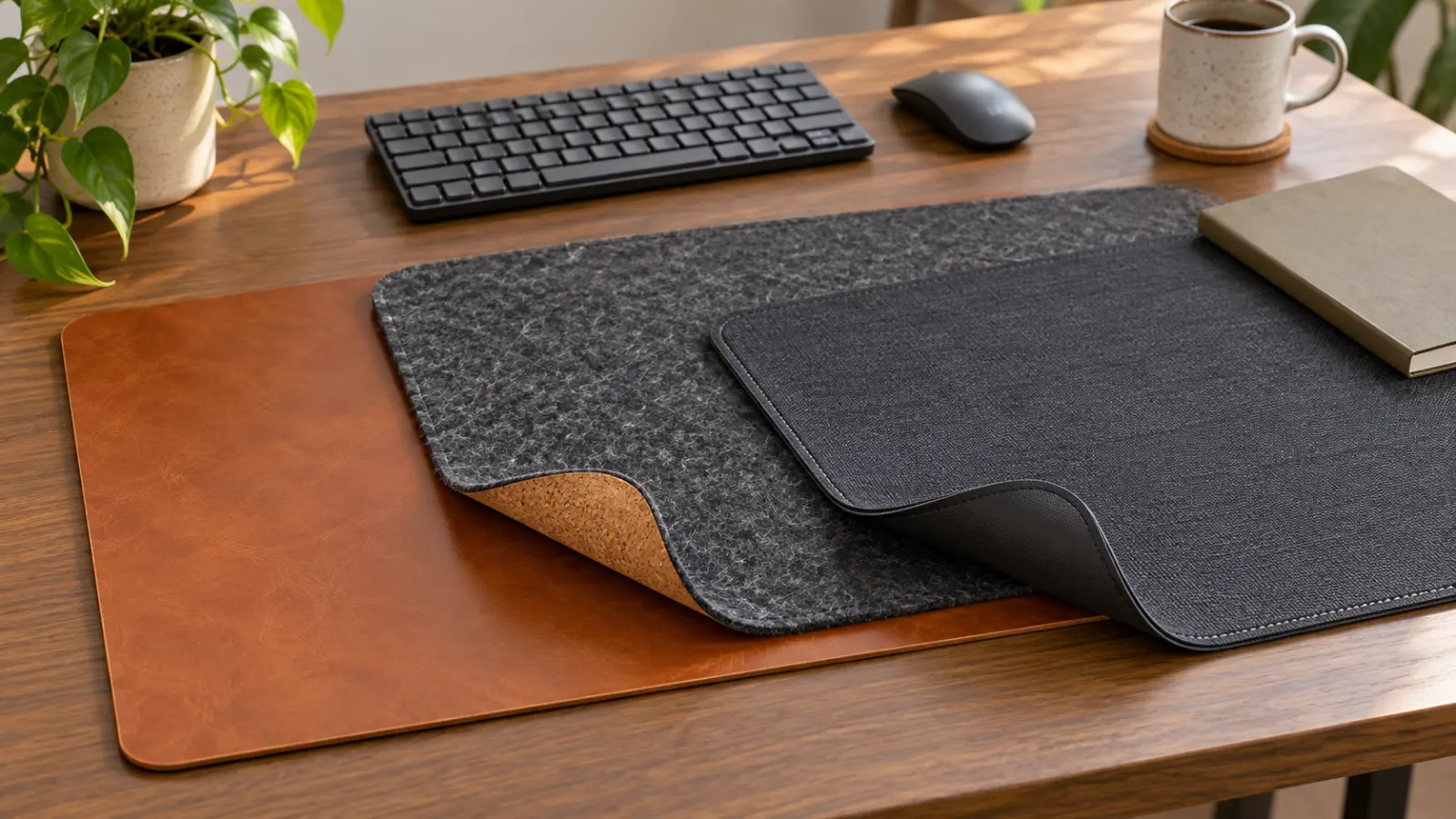
The original hero is a generated editorial still life of generic materials, not a photograph of a MedHelperPro test area or any named product.
Sources and further reading
- Logitech: Desk Mat Studio Series price, stock, returns, and warranty
- Logitech: Desk Mat Studio Series dimensions, materials, stitching, and care
- Corsair: MM350 Pro Extended XL dimensions, material, stock, and price
- Corsair: direct return policy
- Corsair: gaming mouse mat warranty
- Orbitkey: Desk Mat materials, dimensions, features, price, and ownership terms
- Orbitkey US: return requirements and prepaid-label fee
- The Modest Man: July 2026 independent Orbitkey Desk Mat review
- Oakywood: Felt and Cork Desk Mat specifications, care, price, warranty, and returns
- OEKO-TEX: what Standard 100 certification means
- Leatherology: Modern Desk Pad material, dimensions, price, and care
- Leatherology: limited warranty terms
- Leatherology: return terms
- US Federal Trade Commission: Leather Guides
- Good Housekeeping: independent desk mat selection factors
Before you buy: Recheck the selected size, materials, price, stock, care instructions, warranty, return condition, and fees on the seller's site. This guide is product research, not a hands-on durability test or a guarantee that a mat is compatible with a particular desk finish.